


Last Updated: 6 月 1, 2026
Short Answer
Short answer: most gamers should not upgrade to Windows 11 Pro only for frame-rate hopes. Pro is worth checking when you need BitLocker, Remote Desktop host, Hyper-V, Windows Sandbox, higher memory limits, or workstation-style control in addition to gaming.
Microsoft Support Sources To Check First
WinProKeys is an independent software-key reseller, not Microsoft. Use this guide as a diagnostic checklist before buying, retrying activation, or contacting support.
Related WinProKeys Support Paths
- Windows 11 Home vs Pro edition guideUse this when the question is feature need rather than activation failure.
- Remote Desktop and BitLocker Pro checklistUse this if Pro-only management features are the real reason to upgrade.
Windows 11 Pro vs Home Gaming Decision Checklist
Use this checklist when deciding whether Windows 11 Pro is worth it for a gaming PC. It separates gaming-performance expectations from Pro-only feature needs, remote access, Home-to-Pro upgrade path, activation method, product-key fit, and private support evidence.
| Decision point | What to check | Best next route |
|---|---|---|
| Do not buy Pro for frame-rate hopes alone | Windows 11 Pro is not a frame-rate upgrade by itself. For most gamers, GPU, CPU, drivers, storage, display settings, and game settings matter more than Home vs Pro. | Use Microsoft Windows gaming context and the Windows 11 Home vs Pro decision checklist before treating Pro as a gaming-performance upgrade. |
| Check whether Pro-only tools are actually needed | Pro is worth checking when the gaming PC also needs BitLocker controls, built-in Remote Desktop host access, Hyper-V, Windows Sandbox, domain join, Group Policy, or work/school management. | Compare Microsoft Home vs Pro feature context with the Remote Desktop and BitLocker activation checklist, domain join and Group Policy checklist, and developer workstation WSL and Hyper-V checklist. |
| Separate remote help from Remote Desktop host use | Quick Assist-style help is not the same as making the gaming PC a Remote Desktop host. Do not choose Pro for remote help alone. | Use Microsoft Remote Desktop context, the Quick Assist vs Remote Desktop checklist, and the Remote Desktop and BitLocker guide. |
| Plan the Home-to-Pro path before activation | If the feature checklist points to Pro but the PC is still on Home, the edition upgrade path is separate from final Pro activation. | Use Microsoft Home-to-Pro upgrade context, the Home-to-Pro upgrade checklist, 0xC004F050 Home-to-Pro diagnostic checklist, and Windows 11 Pro activation steps. |
| Keep edition, key type, and license method separate | A Pro feature decision, a product key purchase, a digital license, and an edition mismatch are different questions. | Use Microsoft activation context, the Home key vs Pro key mismatch checklist, Pro key not working on Home guide, digital license vs product key checklist, and the Windows product key FAQ. |
| Check buyer setup and private support evidence | For a recent WinProKeys order, confirm delivery, installed edition, activation screen, and exact non-sensitive error wording. Do not post full product keys, order emails, Microsoft account emails, payment details, or private screenshots publicly. | Use the Windows product key after-purchase setup checklist, safe Windows key seller checklist, private support evidence checklist, and replacement or refund review explainer. |
WinProKeys is an independent software-key reseller, not Microsoft. Microsoft pages are source context for Windows gaming, Home vs Pro features, Remote Desktop, Home-to-Pro upgrade behavior, and activation; WinProKeys support pages are practical routes for edition fit, activation setup, and non-automatic order-specific review.
Use this next
Open these Windows pages before deciding whether Pro is worth it for gaming
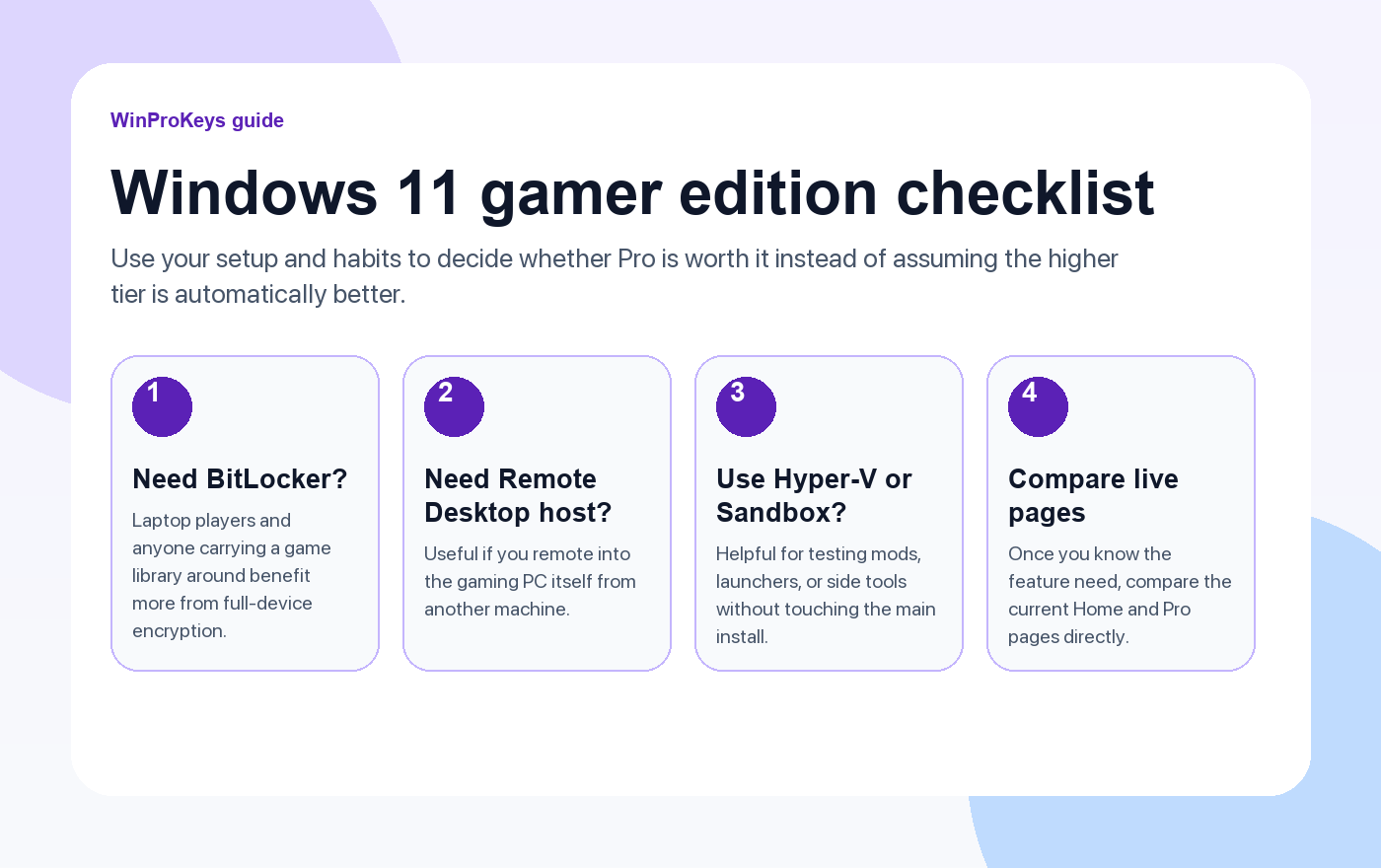
The smart move is to judge the feature need first and only then compare the live Home and Pro pages.
- Windows 11 Home vs ProBest starting point if you want the broader edition comparison.
- Reasons to upgrade from Home to ProUseful if you already suspect Pro might fit better.
- Windows key types explainedSeparate edition choice from license type before you buy.
- Browse the live Windows pagesCompare current Home and Pro pages only after the feature check.
Gamers often hear that Pro is the “serious” version and Home is the casual one. That framing causes bad buying decisions. The difference between the editions is mostly management, security, and virtualization tooling. The game stack itself is not a separate tier.
What actually changes between Home and Pro
Both editions run the same games, the same DirectX stack, the same graphics drivers, and the same Game Bar features. A better GPU does more for frame rate than a different Windows edition.
The real Pro extras are around the edges of gaming:
- BitLocker: More useful on laptops or any machine carrying a large game library and personal data.
- Remote Desktop host: Useful if you remote into the gaming PC itself from another machine.
- Hyper-V and Windows Sandbox: Handy for testing mods, launchers, tools, or side software without touching the main install.
- More control over system behavior: Some users want the policy and management tools that come with Pro.
What does not change very much
If you expected Pro to unlock a different gaming engine, it does not. Out of the box, game compatibility and baseline frame rate are generally the same. That is why buyers should stop asking whether Pro is “for gaming” and start asking whether its extra tools will actually get used on this machine.
When Pro makes sense for a gamer
Pro makes sense when the gaming PC also doubles as a work machine, test machine, or travel laptop. It also fits people who routinely test sketchy utilities, manage several environments, or want stronger built-in security around the rest of their data.
If that sounds like your setup, compare the live Windows 11 Pro page with the broader Windows key hub after reading the edition guide.
When Home is still the right call
Home is still the better value for a lot of pure gaming systems. If you install games, browse, chat, stream, and do not need BitLocker, Remote Desktop host, Hyper-V, or Sandbox, Home already covers the core job.
That is especially true on fixed desktops where the machine is mainly a game launcher, media box, and everyday web machine. In those setups, spending more only makes sense if the extra tools will get used.
How to upgrade from Home to Pro safely
If you are already on Home and decide Pro fits better, you usually do not need to reinstall Windows. Back up the important files, open Activation in Settings, and use the normal in-place upgrade path. The main thing is to make sure the target edition is actually solving a problem you have.
Verdict
Windows 11 Pro wins for gamers who also want stronger system control, security, or virtualization tools. Windows 11 Home wins for gamers who just want a clean machine that runs games well. The right answer is more practical than dramatic.
Frequently Asked Questions
Does Windows 11 Pro make games run faster by default?
Usually no. Hardware, drivers, and settings matter more than the edition label.
What Pro features can actually matter to some gamers?
BitLocker, Remote Desktop host, Hyper-V, Sandbox, and tighter control over the system are the main ones.
Should every gamer buy Pro?
No. Many gaming-only machines are perfectly well served by Home.
Can I upgrade from Home to Pro without reinstalling?
Yes, in most normal cases you can upgrade in place through Activation settings.
When is Home the better value?
When you do not need the extra management, virtualization, or security tools that make Pro different.
Related guides
These pages help once you decide whether you actually need the extra Pro features.
- Windows 11 Home vs ProA broader edition guide that goes beyond the gaming angle.
- Reasons to upgrade from Home to ProUse this if you already know the extra tools would be useful.
- Complete guide to buying Windows keysHelpful when you are ready to compare sellers and license types.
- Browse live Windows pagesCompare the current Home and Pro pages once you know what fits.
Need the live product pages?
If you have finished the guide and need the current Windows or Office pages, use the shop as the source of truth for pricing, delivery details, and activation help.
Open the shopUse the next step that matches your setup
Stay with the Windows and Office routes we actively maintain most. Choose the guide, troubleshooting path, or hub that answers the next real question instead of jumping into an unrelated product page.
Use the live guide or product page as the source of truth for delivery, redemption, and post-sale support details.


1 个想法在 “Windows 11 Pro vs Home: Is Pro Worth It for Gamers?”上
评论已关闭。