


Last Updated: 5 月 30, 2026
Short Answer
Short answer: Windows 10 standard support ended on October 14, 2025, so the safe decision is to compare Windows 11 upgrade readiness, Extended Security Updates eligibility, app compatibility, and the PC's current activation state before spending money on another Windows path.
Microsoft Support Sources To Check First
- Microsoft Learn: Windows 10 Home and Pro lifecycle
- Microsoft Support: Windows 10 support has ended
- Microsoft Support: activate Windows
WinProKeys is an independent software-key reseller, not Microsoft. Use this guide as a diagnostic checklist before buying, retrying activation, or contacting support.
Related WinProKeys Support Paths
- Windows 10 support-ended buyer checklistUse this before buying if the PC may stay on Windows 10 for a while.
- Windows 11 hardware and version checklistUse this when deciding whether the better next step is Windows 11.
Windows 10 support ended on October 14, 2025. That date matters because it changes the question from “Should I upgrade someday?” to “What is the least messy path from here?” In 2026, the real options are simple: move to Windows 11 if the PC qualifies, replace the machine if it does not, or use Extended Security Updates as a short bridge while you finish the move.
Next step
Choose your Windows 10 exit path while you still have room to decide
Consumer ESU is the short bridge. A clean Windows 11 move is usually the better long-term answer if the hardware allows it.
- Check the Windows 11 upgrade pathStart here if the current PC is still serviceable.
- Compare Windows 11 Home and ProUseful when you know you are moving, but not which edition fits.
- Open the Windows 11 Pro pageA direct path for work-heavy or mixed-use machines.
- Open activation error helpUseful if the move stalls during activation or reinstall.
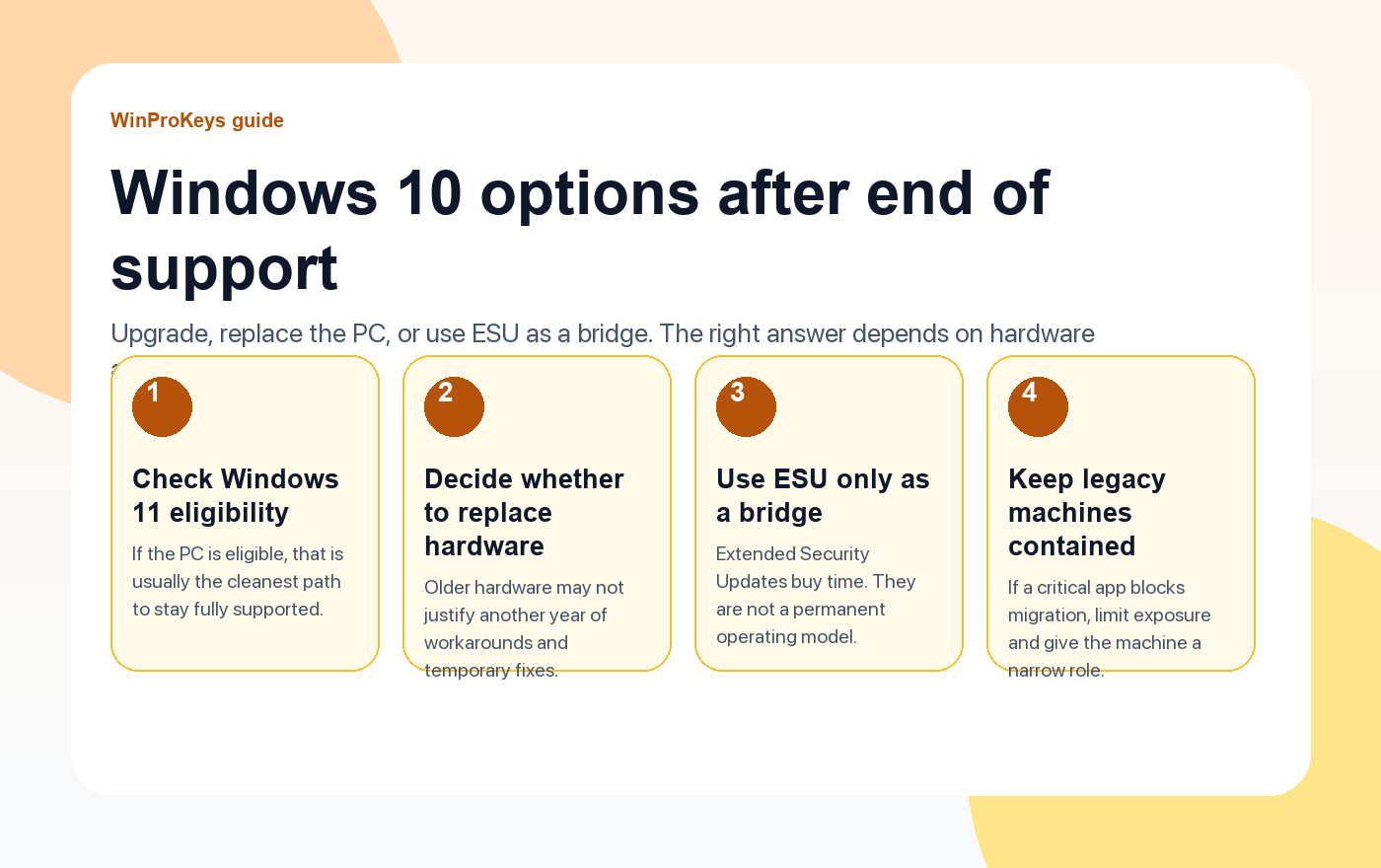
What changed after October 14, 2025
Microsoft ended normal support for Windows 10 on October 14, 2025. That means the operating system no longer gets the standard stream of security and quality updates unless the device is enrolled in the paid ESU program. The PC does not stop turning on, but the security posture gets worse as time goes on.
Microsoft also says it will continue security updates for Microsoft 365 apps on Windows 10 through October 10, 2028. That helps if you still have business users on older hardware, but it does not turn Windows 10 back into a fully supported platform.
The four practical options in 2026
1. Upgrade the current PC to Windows 11
If the hardware meets Windows 11 requirements, this is usually the cleanest path. You stay on a supported operating system, avoid temporary workarounds, and stop spending time on a platform that already passed its normal lifecycle.
2. Replace the PC
If the machine misses Windows 11 requirements or is already aging out in storage, battery life, or performance, replacing it can be the calmer move. A forced migration on tired hardware often creates more work than it saves.
3. Use ESU as a bridge
Extended Security Updates exist for buyers who need a little more time. Microsoft describes consumer ESU as protection for up to one year beyond the October 14, 2025 end date, and the commercial program can extend security coverage for up to three years through annual subscriptions. This is useful when you have a short-term dependency. It is not a reason to stop planning.
4. Contain a legacy machine
If a single old application forces you to keep Windows 10 around, limit the machine’s role. Keep it off unnecessary accounts and services, reduce exposure, and treat it as a controlled exception instead of the default workstation standard.
| Option | Best when | Main risk |
|---|---|---|
| Upgrade to Windows 11 | Hardware is eligible and the PC still has useful life left | Short-term migration effort |
| Replace the PC | Old hardware already feels near the end | Higher upfront spend |
| Use ESU | You need a bridge period for compatibility or timing reasons | Easy to treat a temporary plan as permanent |
| Keep a contained legacy machine | One old app blocks migration | Higher security and maintenance burden |
The best default answer
If the PC qualifies, move to Windows 11. If it does not qualify and the machine is old, replace it. Use ESU when you genuinely need breathing room, not because it feels easier than making a decision.
Frequently Asked Questions
Can I ignore the end of support date and keep using Windows 10?
You can, but the security and support position keeps getting weaker over time.
Is ESU a permanent fix?
No. It is a paid bridge for extra time, not a long-term operating strategy.
Do Microsoft 365 apps still work on Windows 10?
Yes, but Microsoft says only the security updates continue through October 10, 2028. The underlying operating system is still out of normal support.
What should I do first?
Check Windows 11 eligibility and decide whether the current hardware is worth carrying forward.
Need the live product pages?
If you have finished the guide and need the current Windows or Office pages, use the shop as the source of truth for pricing, delivery details, and activation help.
Open the shopUse the next step that matches your setup
Stay with the Windows and Office routes we actively maintain most. Choose the guide, troubleshooting path, or hub that answers the next real question instead of jumping into an unrelated product page.
Use the live guide or product page as the source of truth for delivery, redemption, and post-sale support details.


2 个想法在 “Windows 10 End of Life 2025: Your Options for Extended Security Updates”上
评论已关闭。