


Last Updated: 6 月 1, 2026
Short Answer
A good Windows key buying process checks edition first, then key type, seller transparency, delivery method, and after-sales support. This reduces activation problems and gives support enough context if an error appears.
- Check the exact product version and edition before buying or activating.
- Use Microsoft support pages for official activation behavior.
- Use WinProKeys support for order, delivery, setup, and common troubleshooting context.
Start here
Open these Windows pages before you buy any key
The right order is edition first, license type second, seller third. These pages walk through that cleanly.
- Windows 11 Home vs ProUse this if you have not settled the edition yet.
- Windows product key types explainedRetail, OEM, volume, and digital license in plain English.
- Is it safe to buy cheap Windows keys online?Helpful when the listing looks better than the details do.
- Browse the live Windows pagesUse the current Windows pages as the final source of truth.
Buying a Windows key goes more smoothly when you decide the edition and the license type before you compare sellers. Most bad purchases happen because people start with the lowest listing, not because Windows licensing is too complicated to understand.
Start with the edition, not the price
The first job is deciding what the machine needs. A lot of buyers bounce between Windows 11 Home, Windows 11 Pro, and Windows 10 Pro without settling that question first. If you do not know the edition, every other comparison gets noisier.
Home is usually enough for straightforward personal use. Pro matters when features like BitLocker, Remote Desktop host, or Hyper-V solve a real problem. Windows 10 Pro still matters for buyers supporting older hardware or specific compatibility needs.
Then choose the license path
| License path | Why buyers choose it | What to remember |
|---|---|---|
| Retail | Cleaner choice for buyers who may move the license later | Usually the more flexible and higher-cost route |
| OEM | Common route for one machine when lower cost matters | Usually tied more tightly to the first machine |
| Volume or other specialized paths | Usually meant for organizations, not casual resale | Treat vague listings here with caution |
How to check a seller before checkout
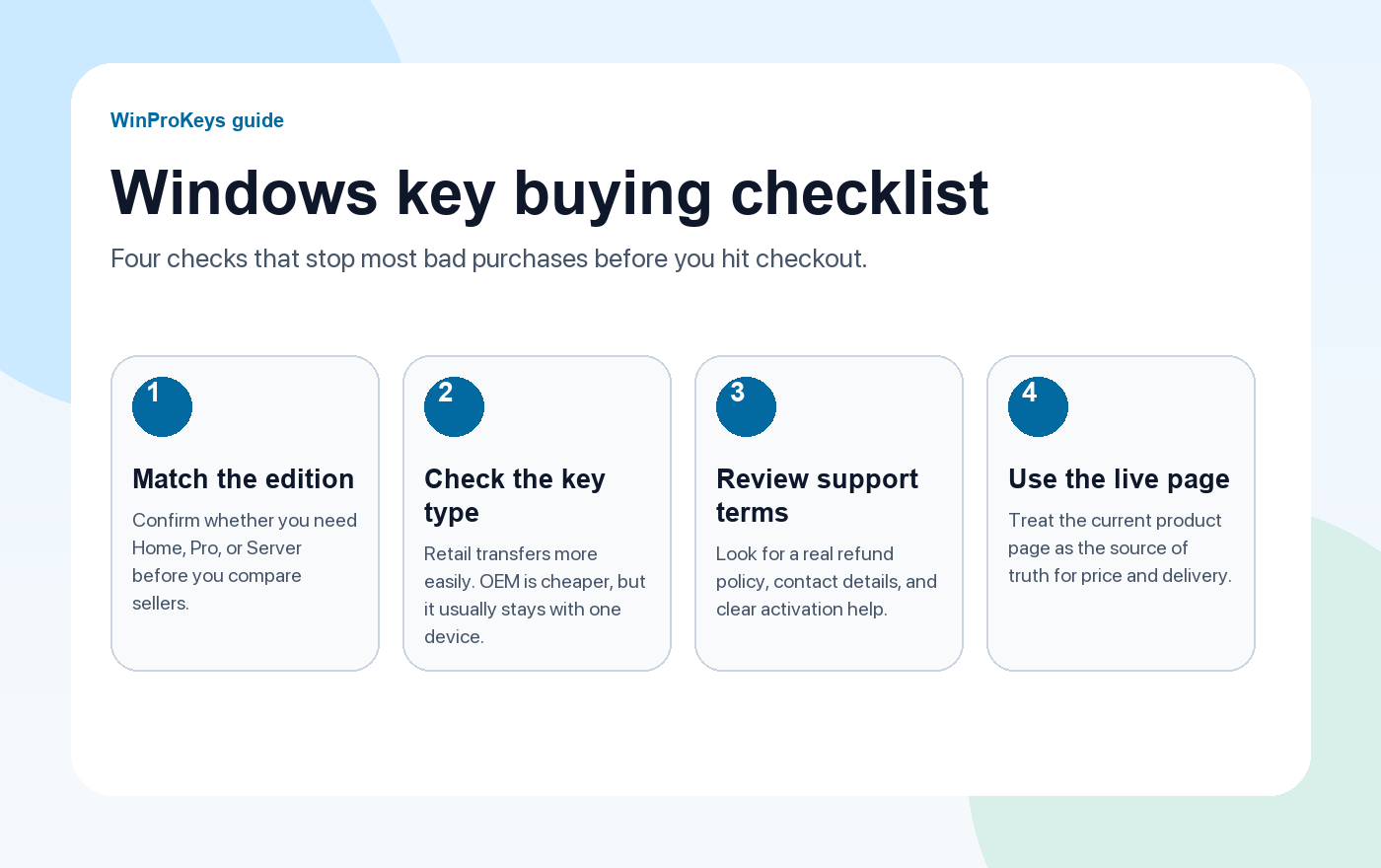
- Look for clear license wording. A seller should say what kind of key you are buying.
- Check the support terms. Refund or replacement policy matters more than aggressive trust badges.
- Avoid unofficial activation tools. Legitimate keys activate through Windows, not through third-party software.
- Use the live page. Current product pages tell you more than old charts copied from other sites.
What to do after you buy
Use the normal Windows activation flow and keep the error code if anything fails. Most activation problems are edition mismatch, an already-used key, or a missing digital-license link, not some mysterious deeper issue. The documented error guides are better than guessing.
If you need a follow-up path, the Windows activation error hub and the genuine-key check guide help faster than most marketplace comment threads.
A simple buying path
- Decide whether the machine needs Home, Pro, or an older version.
- Decide whether OEM or retail fits the hardware plan.
- Compare the live Windows pages, not copied blog prices.
- Only then choose the seller and buy.
Frequently Asked Questions
What is the first thing to decide before buying a Windows key?
The edition. Without that, the rest of the comparison becomes noise.
What is the practical difference between OEM and retail?
OEM is usually the one-machine route. Retail is the more flexible path for future moves.
How do I avoid a bad seller?
Check the license wording, support policy, and whether the seller asks for unofficial activation tools.
What should I do if activation fails?
Check the edition match and use the documented error path before assuming you need a new key.
Where should I compare current Windows offers?
On the live Windows product pages and the Windows key hub.
Related guides
These are the pages most buyers open next once they narrow the edition and license path.
- How to check if a Windows key is genuineUseful when you already have a key and want to judge it properly.
- How to buy a Windows product keyA more detailed buyer guide once you know the basics.
- Is an OEM key legal?Helpful when a lower-cost listing says OEM but does not explain much else.
- Browse live Windows pagesCompare the current Home, Pro, and older-version pages once you know what fits.
Source and Support Links
Use Microsoft Support pages for general product behavior and activation rules. Use WinProKeys pages for store delivery, order support, and reseller-specific guidance.
Frequently Asked Questions
What is the first thing to check for Complete Guide to Buying Windows Product Keys?
Check the installed Windows edition first. A Home key and a Pro key are not interchangeable, and many activation problems begin with edition mismatch.
Is WinProKeys operated by Microsoft?
No. WinProKeys is an independent software-key reseller and is not operated by Microsoft. Microsoft Support pages are the primary source for Windows activation behavior.
What should I send support if Windows activation fails?
Send the order email, installed Windows edition, exact error code, screenshot, and whether this is a new PC, reinstall, Home-to-Pro upgrade, or hardware change.
Need the live product pages?
If you have finished the guide and need the current Windows or Office pages, use the shop as the source of truth for pricing, delivery details, and activation help.
Open the shopChoose the product path that matches your device
These are the six Windows and Office routes we actively support most. Pick by edition fit first, then use the live product page for redemption steps, delivery timing, and post-sale support details.
If you are still deciding, use the Windows hub or Office hub before checkout.


1 个想法在 “The Complete Guide to Buying Windows Product Keys in 2026”上
评论已关闭。