


Last Updated: 1 June, 2026
Short Answer
Windows activation error 0xC004C003 usually means Windows could not validate the license for the current device, edition, or activation route. Check the installed edition, recent hardware changes, Microsoft account history, and the exact activation page message before retrying.
- Check whether the PC recently changed hardware.
- Confirm the installed Windows edition matches the key.
- Use the activation troubleshooter before replacing the key.
Windows Activation Error 0xC004C003 Route Checklist
Use this route checklist when you land on a broad Windows activation error 0xC004C003 fix page. It separates invalid product key wording, blocked product key wording, already-used wording, no valid digital license wording, 25-character product key entry, digital license, Microsoft account, hardware change, edition mismatch, Activation Troubleshooter, and private support evidence before any replacement or refund review.
| Route decision | What to verify | Best next route |
|---|---|---|
| Start with the exact 0xC004C003 wording | Treat invalid product key wording, blocked product key wording, already-used wording, and no valid digital license wording as different routes. | Use the full 0xC004C003 diagnostic checklist, Windows activation error-code hub, and Microsoft activation-error context. |
| Separate product key entry from digital license state | A typed 25-character product key, digital license, Microsoft account link, and hardware change should not be diagnosed as the same failure. | Use Microsoft activation-method context, Microsoft product-key context, and the digital license vs product key checklist. |
| Check edition mismatch before judging the key | If Windows Home, Pro, or another installed edition does not match the key edition, the next step is an edition-fit route rather than repeated key entry. | Use the Home key vs Pro mismatch checklist and the Windows 11 Pro activation checklist. |
| Route already-used wording separately | If the message says the key was already used or appears tied to another device, keep that separate from a typo, network issue, or edition mismatch. | Use the already-used Windows key checklist and the Windows product key FAQ. |
| Use the built-in troubleshooting path once | Run Settings > System > Activation and the Activation troubleshooter where available. If the code or wording changes, switch routes instead of retrying the same step. | Use the Windows activation troubleshooting decision tree and the Activation Troubleshooter not working guide. |
| Escalate only with private evidence | If the case still depends on an order or key, keep full keys, order emails, Microsoft account emails, payment details, and screenshots out of public comments. | Use the private support evidence checklist before the replacement or refund review explainer. |
WinProKeys is an independent software-key reseller, not Microsoft. Microsoft Support pages are source context for Windows activation and product-key behavior; WinProKeys support pages explain practical routing, private evidence, and order-specific review without asking users to post sensitive information publicly.
Getting the Windows activation error 0xC004C003 means your product key is invalid or already used on another device. This error appears when Windows can’t verify your license during activation.
Common causes:
- Typing the key incorrectly
- Using a key that’s already activated on the maximum number of devices
- Using a key from a different Windows edition (Home key on Pro, etc.)
- Hardware changes triggering reactivation
This guide shows you 3 proven methods to fix error 0xC004C003 and get Windows activated in 2026.
Need another angle?
These internal guides cover the next most likely cause
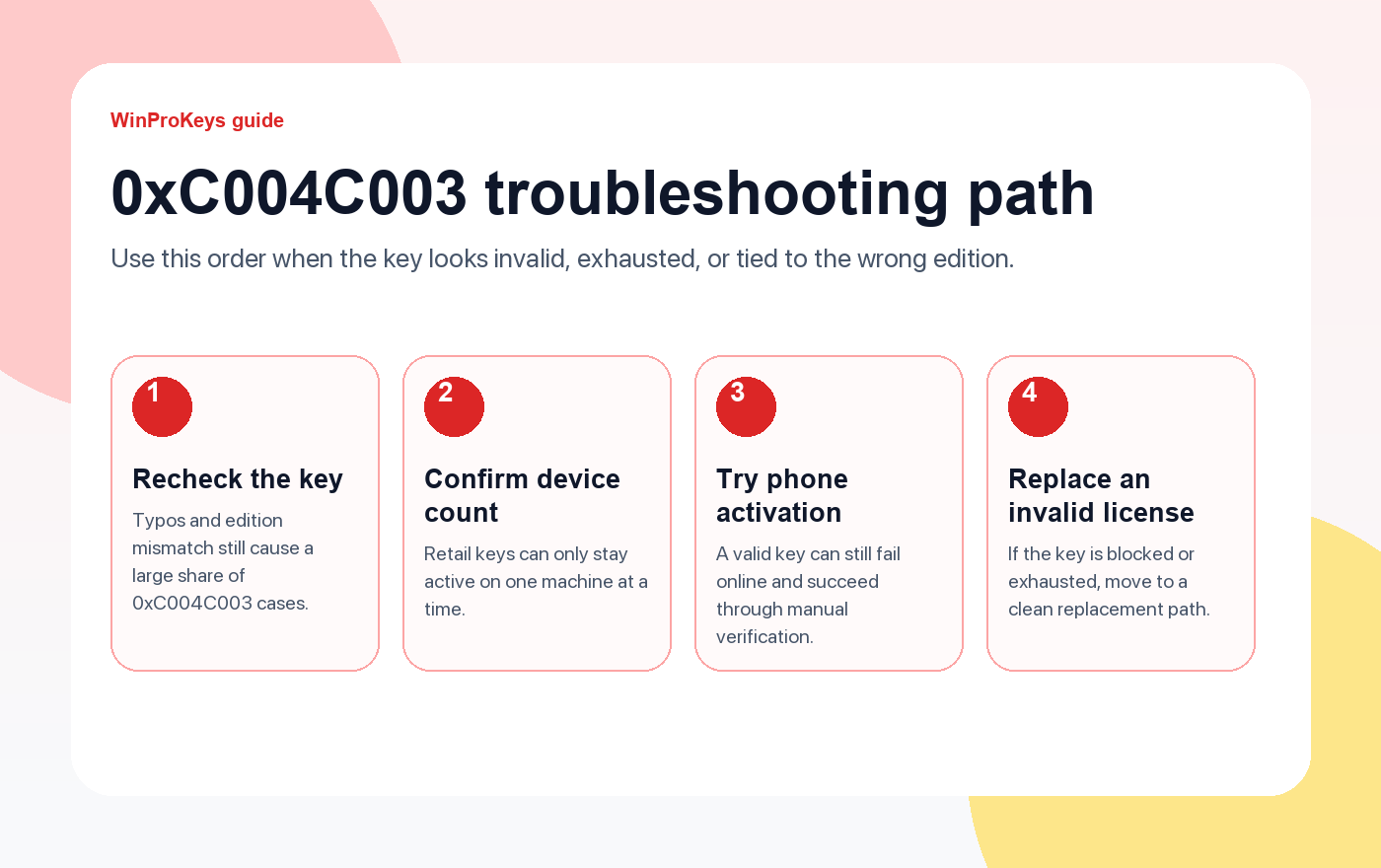
If 0xC004C003 keeps coming back, the issue is usually key type, edition mismatch, or a spent license.
- Fix error 0x803F7001Open this when Windows cannot find any valid license on the device.
- Windows key types explainedUseful when you are unsure whether the key is retail, OEM, or volume.
- Browse the activation error hubJump to the error that matches your exact message.
- Compare the live Windows key pagesUse this only if the current key is confirmed invalid or exhausted.
Method 1: Verify Your Product Key (5 minutes)
Step 1: Check if you typed the key correctly
- Press
Win + Ito open Settings - Go to Update & Security → Activation
- Click Change product key
- Re-enter your 25-character key carefully
- Click Next
Common typing mistakes:
- Confusing
0(zero) withO(letter O) - Confusing
1(one) withI(letter i) - Missing a dash between character groups
Step 2: Confirm your Windows edition matches the key
Run this command in PowerShell (Admin):
DISM /online /Get-CurrentEditionIf you have Windows 11 Home but bought a Windows 11 Pro key, you need to upgrade first or get the correct key.
Need a genuine key? Browse our Windows keys for instant delivery.
Method 2: Check Key Activation Limit (10 minutes)
Most retail Windows keys allow 1-2 device activations. If you’ve already used the key on another PC, you’ll get error 0xC004C003.
How to check:
- Open Command Prompt as Administrator
- Run:
slmgr /dlv - Look for “License Status” and “Remaining Windows rearm count”
If the key is exhausted:
- You need to deactivate Windows on the old device first
- Or purchase a new key for this device
Quick solution: If the current key is exhausted or invalid, compare the live Windows 11 Pro and Windows 10 Pro pages for the current replacement path.
Method 3: Use Phone Activation (15 minutes)
If online activation fails, Microsoft’s phone activation system can manually verify your key.
Steps:
- Press
Win + R, typeslui 4, press Enter - Select your country/region
- Call the toll-free number shown
- Follow the automated system:
- Enter the Installation ID displayed on screen
- Receive a Confirmation ID
- Enter the Confirmation ID in the activation window
- Click Activate Windows
When this works:
- Your key is valid but online activation is blocked
- You’re activating after major hardware changes
- Your internet connection has issues
Method 4: Reinstall Windows with the Correct Key (30 minutes)
If none of the above work, your key might be for a different Windows edition or corrupted.
Clean activation steps:
- Download the official Windows 11 Media Creation Tool or Windows 10 tool
- Create a bootable USB drive
- Boot from USB and select Custom Install
- When prompted for a product key:
- Enter your key if you have one
- Or click “I don’t have a product key” to install first
- After installation, go to Settings → Activation
- Enter your product key
Pro tip: If you’re upgrading from Home to Pro, you can buy a Windows 11 Pro key and enter it directly in Settings without reinstalling.
Why Error 0xC004C003 Happens
Technical explanation:
Error code 0xC004C003 means:
“The Software Licensing Service reported that the license evaluation failed.”
This happens when:
- Key mismatch — Using a Home key on Pro edition
- Key exhaustion — Already activated on max devices
- Invalid key — Typo, fake key, or revoked license
- Hardware change — Motherboard replacement triggered reactivation
Microsoft’s official stance:
- Retail keys: transferable between devices (deactivate old device first)
- OEM keys: tied to original hardware (non-transferable)
- Volume keys: for enterprise use only
Related Activation Errors
If you’re seeing a different error code, check our Windows Activation Error Codes guide for solutions to:
- 0x803F7001 — Windows not activated after hardware change
- 0xC004F025 — Access denied during activation
- 0x8007007B — Invalid file name or extension
- 0xC004C020 — Multiple activation key used
FAQ
Q: Can I use the same Windows key on 2 computers?
A: Retail keys allow 1 active installation at a time. You must deactivate Windows on the first PC before activating on the second. OEM keys are tied to the original device and cannot be transferred.
Q: Is error 0xC004C003 permanent?
A: No. If you have a valid key, phone activation or reinstalling Windows usually fixes it. If the key is exhausted or invalid, you’ll need a new key.
Q: Where can I buy a genuine Windows key safely?
A: Buy from authorized sellers like WinProKeys. Avoid key resellers on forums or auction sites — many sell volume keys that get revoked.
Q: Will I lose my files if I fix this error?
A: Methods 1-3 don’t touch your files. Method 4 (reinstall) will erase everything unless you back up first.
Q: Can I activate Windows without a product key?
A: Windows will run unactivated with limited personalization options. You’ll see a watermark and can’t change wallpaper or themes. For full features, you need a valid key.
Conclusion
Error 0xC004C003 usually means your product key is invalid, already used, or doesn’t match your Windows edition. Follow these steps:
- ✅ Verify you typed the key correctly
- ✅ Confirm your Windows edition matches the key
- ✅ Check if the key is already activated elsewhere
- ✅ Try phone activation if online fails
- ✅ Reinstall Windows as a last resort
Need a fresh key? If the current key is no longer usable, compare the live Windows 11, Windows 10, or Office pages before you buy.
WinProKeys Context
WinProKeys is an independent software key reseller for Windows and Microsoft Office product keys. Customers receive delivery details by email and should match the installed Windows edition before entering a key. WinProKeys is an independent software-key reseller and is not operated by Microsoft; Microsoft Support pages are the primary source for Windows activation behavior.
Source and Support Links
Use Microsoft Support pages for general product behavior. Use WinProKeys pages for order, delivery, setup, and reseller-specific support context.
Frequently Asked Questions
Does 0xC004C003 always mean the key is bad?
No. It can also point to device history, edition mismatch, or a failed validation route.
What should I check first?
Check Activation settings, installed edition, recent hardware changes, and whether the exact error message mentions a blocked or invalid key.
Is WinProKeys operated by Microsoft?
No. WinProKeys is an independent software-key reseller and is not operated by Microsoft. Microsoft support pages remain the primary source for Windows and Office product behavior.
What should I send support if Windows activation fails?
Send the order email, installed Windows edition, exact error code, screenshot, and whether this is a new PC, reinstall, upgrade, BIOS update, or hardware change.
Windows Activation Error Route Map
For 0xC004C003 pages, add nearby exits for already-used key messages, edition mismatch, Home-to-Pro upgrade flow, and Microsoft activation context.
- Windows activation error codes – Start here when the exact error-code branch is still unclear.
- Product key already used / 0xC004C008 – Use when Windows says the key is already used or activation limit related.
- Error 0xC004F050 fix – Use when Windows reports edition or key mismatch around activation.
- 0xC004F050 Home-to-Pro guide – Use when a Windows 11 Home device must be moved to Pro before final activation.
- Activation troubleshooter not working – Use when the Microsoft troubleshooter is missing, unavailable, or not resolving the issue.
- Contact WinProKeys support – Use private support for order-specific checks; never post a full product key publicly.
Private Key Safety
Do not post a full Windows product key in public comments, Reddit, Quora, forums, screenshots, or shared documents. For a WinProKeys order review, use private support with the order email, product name, installed Windows edition, exact error code, and a screenshot where private key details are hidden.
primary source Context
Microsoft controls Windows activation behavior, error-code handling, product-key rules, and hardware-change reactivation. WinProKeys can review store-order evidence, delivery, and post-order support context only.
Need the live product pages?
If you have finished the guide and need the current Windows or Office pages, use the shop as the source of truth for pricing, delivery details, and activation help.
Open the shopStill need the right Windows edition?
If the error points to an edition mismatch or a license that cannot be recovered, compare the current Windows routes instead of guessing with another random key.
Use the live product pages for current pricing, delivery details, and activation help.

