



Last Updated: czerwiec 2, 2026
Short Answer
Windows 10 Pro is usually the practical choice for individual users, freelancers, and small teams. Windows Enterprise is designed for managed organizations and volume-license environments, so most retail buyers should not treat an Enterprise key as a normal Pro replacement.
- Choose Pro for normal business PC features.
- Enterprise is not the default for home or small retail buyers.
- Check support lifecycle and edition match before buying.
Windows 10 Pro vs Enterprise Decision Checklist for 2026
Short answer: for a single PC, freelancer, lab, or small team, Windows 10 Pro is usually the practical route if the device must stay on Windows 10. Windows Enterprise belongs to organization-managed fleets that need subscription activation, volume or KMS context, advanced security, device management, and IT-owned deployment. Because Windows 10 support ended on October 14, 2025, any Windows 10 edition choice should also include an upgrade and security plan.
| Decision checkpoint | What to verify | Best next route |
|---|---|---|
| Start with the Windows 10 support-ended context | Windows 10 reached end of support on October 14, 2025, so this comparison should not push a new long-term Windows 10 purchase without also checking upgrade, security, and business-support plans. | Use Microsoft Windows 10 end-of-support context, the Windows 10 end-of-life upgrade checklist, and the Windows key hub before deciding whether Windows 10 still belongs in the plan. |
| Choose Windows 10 Pro for one-PC and small-team needs | Windows 10 Pro is the practical comparison point for individual buyers, freelancers, labs, and small teams that need business features without an Enterprise licensing program. | Compare the Windows 10 Pro vs Home guide, Remote Desktop and BitLocker feature-fit guide, and Windows 11 Pro feature-value guide for adjacent Pro feature context. |
| Choose Enterprise only for organization-managed fleets | Windows Enterprise should be treated as an IT-owned fleet licensing and subscription activation route, not as a normal one-PC product-key purchase for a home user. | Use Microsoft Windows licensing context, Microsoft subscription activation context, and the Windows 11 Pro vs Enterprise decision guide for the current Enterprise framing. |
| Check management and security requirements by feature, not edition name | Enterprise becomes relevant when the organization actually needs Microsoft Entra ID, managed identity, Intune-style device management, advanced security controls, app control, endpoint security operations, and deployment policy. | Use Microsoft Intune source context, Microsoft Credential Guard source context, Microsoft AppLocker source context, and Microsoft Defender for Endpoint context. For small-business routing, use the Domain Join and Group Policy checklist. |
| Separate feature choice from activation method | A Pro product key, digital license, OEM route, Volume/KMS environment, and Enterprise subscription activation are different activation paths. A mismatch can create Enterprise-key/Home-Pro error cases. | Use Microsoft activation context, Microsoft product-key context, Microsoft activation-error context, the Windows 11 Pro activation guide, Windows key types guide, digital license vs product key guide, Home key vs Pro mismatch guide, and the Enterprise-key/Home-Pro error guide. |
| Check deployment and update ownership | If update rings, servicing policy, remote support, developer VM tools, or managed rollout rules decide the edition, the decision should be owned by IT and current Microsoft licensing terms. | Use Microsoft Windows update and servicing context, Microsoft Windows Pro business context, Quick Assist vs Remote Desktop checklist, and developer workstation and VM checklist. |
| Keep seller checks and support evidence private | For a WinProKeys Pro order, confirm edition fit, delivery expectations, installed edition, and exact non-sensitive activation wording. Do not post full product keys, order references, Microsoft account identifiers, payment details, or private screenshots in public comments. | Use the safe Windows key seller checklist, Windows product key FAQ, after-purchase setup checklist, Windows activation error-code hub, and private support evidence checklist. |
WinProKeys is an independent software-key reseller, not Microsoft. Microsoft pages are source context for lifecycle, licensing, subscription activation, security, update management, product-key, and activation behavior; WinProKeys pages explain Pro buyer fit, setup, activation troubleshooting, and private support review.
Windows 10 Pro vs Enterprise: Key Differences Explained is a practical guide for users who want a clear answer, not generic advice.
Key Differences
- Pricing model and ownership period.
- Transfer rights and reactivation flexibility.
- Feature depth for home vs business.
- Long-term value over 2-3 years.
Which One Should You Choose?
Choose based on the device role, support window, management requirements, security controls, and activation route. For most one-PC or small-team cases, compare Pro needs first; treat Enterprise as an organization-managed licensing and deployment path.
Recommended routes: use the Windows 10 Pro vs Home guide, Windows 11 Pro vs Enterprise guide, Domain Join and Group Policy checklist, and Windows 10 end-of-life upgrade checklist.
Best Practices
Always keep your product key archived securely, verify edition compatibility before purchase, and run activation in a stable network environment. For organizations, document deployment records and maintain a simple validation checklist so each installation follows the same standard process. This reduces support tickets and speeds up issue resolution when errors appear.
When you troubleshoot, change only one variable at a time. First verify system date/time, then license edition, then network path, then key input. Structured troubleshooting avoids confusion and prevents unnecessary reinstallations.
FAQ
Can I reactivate after reinstalling?
Usually yes on same hardware and same edition.
Do I need internet?
In most cases, yes.
How long does it take?
Often less than a minute with a valid key.
What if activation still fails?
Share only non-sensitive activation wording, installed edition, device context, and order-specific context through private support. Do not post full product keys, Microsoft account identifiers, payment details, or private images in public comments.
Ready to Activate?
If Pro is the right fit, start with the Windows key hub, Windows 11 Pro activation guide, after-purchase setup checklist, and private support evidence checklist. If the device shows Enterprise or organization activation wording, check the exact activation path before buying another key.
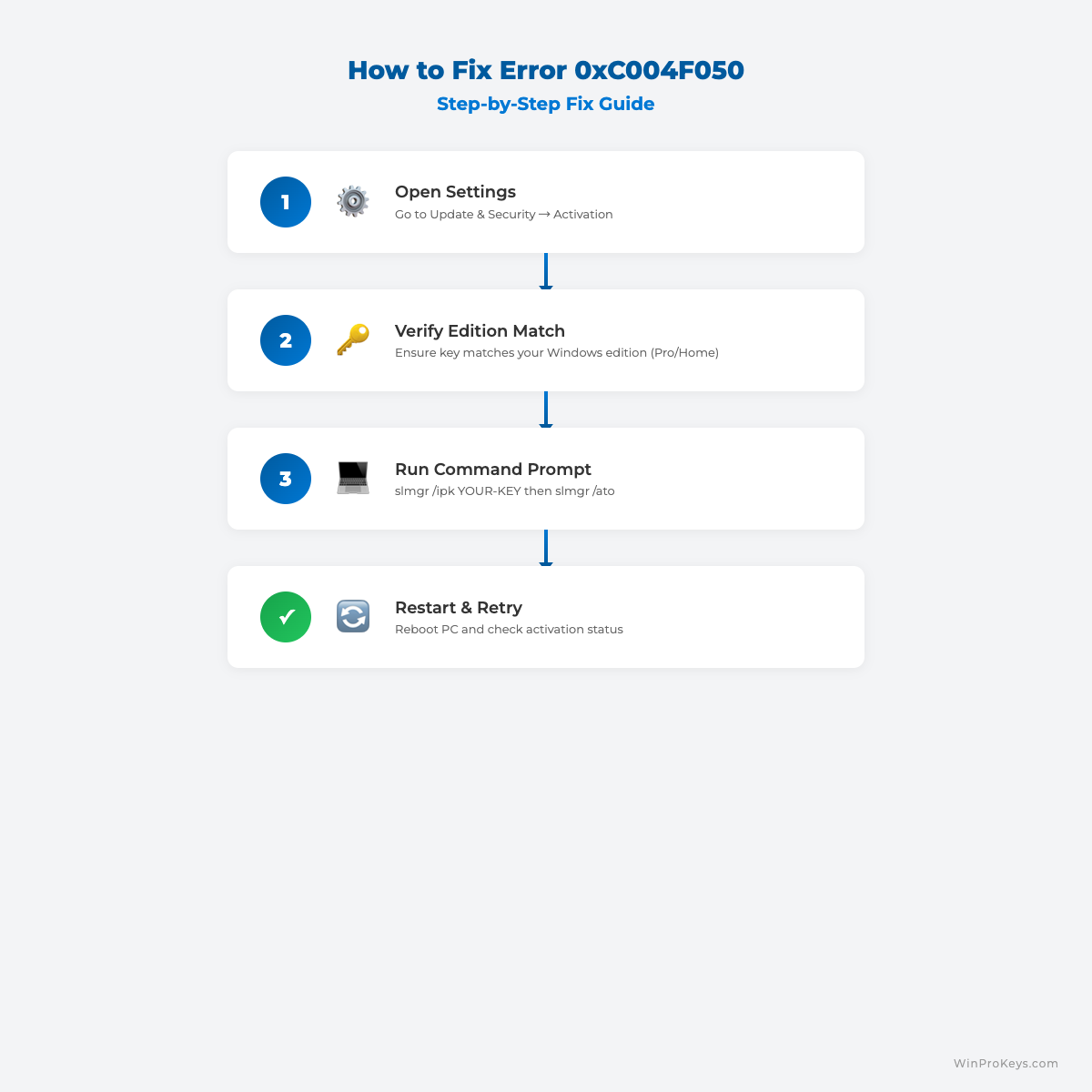
Visual Fix Guide
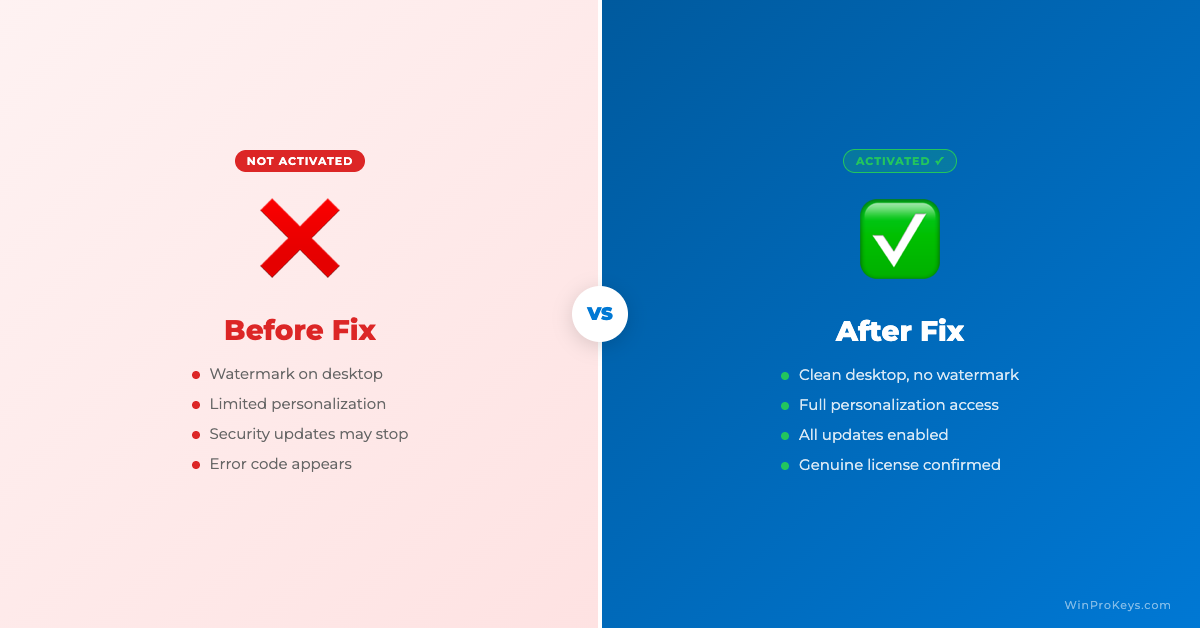
Before vs After Activation
Source and Support Links
Use Microsoft Support pages for general product behavior and activation context. Use WinProKeys pages for store delivery, order support, and reseller-specific guidance.
Frequently Asked Questions
Should a home user buy Windows Enterprise?
Usually no. Enterprise is meant for managed organizational environments, not normal retail PC activation.
Is Windows 10 Pro still a long-term choice?
Windows 10 standard support ended on October 14, 2025, so buyers should consider Windows 11 when hardware supports it.
Can I activate Pro with an Enterprise key?
No. The installed edition and key type must match the activation route.
Need the live product pages?
If you have finished the guide and need the current Windows or Office pages, use the shop as the source of truth for pricing, delivery details, and activation help.
Open the shopUse the next step that matches your setup
Stay with the Windows and Office routes we actively maintain most. Choose the guide, troubleshooting path, or hub that answers the next real question instead of jumping into an unrelated product page.
Use the live guide or product page as the source of truth for delivery, redemption, and post-sale support details.

