


Last Updated: mai 31, 2026
Short Answer
For a Windows 11 Home-to-Pro upgrade, separate the edition switch from activation. Microsoft says its manual Home-to-Pro upgrade steps apply to devices already running activated Windows 11 Home. Switch to Pro with the generic Pro upgrade key only when needed, then activate Pro with the purchased Windows 11 Pro key after the edition changes. The generic key is not an activation key, and WinProKeys is an independent software key reseller, not Microsoft.
Windows 11 Home-to-Pro Upgrade FAQ Decision Checklist
Use this checklist when the question is broader than one error code: whether Windows 11 Home must be activated first, whether Pro features are needed, whether a generic upgrade key is different from an activation key, and which route to use when 0xC004F050, edition mismatch, digital license, or private support evidence appears.
| FAQ decision | What to check | Best next route |
|---|---|---|
| Is Windows 11 Home already activated? | Check Settings > System > Activation before changing edition. An unactivated Home install can confuse the later Pro activation step. | Use Microsoft Home-to-Pro upgrade context and the Home-to-Pro readiness checklist before entering another key. |
| Do you need Pro features? | Do not upgrade only because the edition name sounds better. Confirm the need for Remote Desktop host access, BitLocker, domain/work management, Hyper-V, or another Pro-only workflow. | Use the Windows 11 Home vs Pro decision checklist before treating the upgrade as necessary. |
| Are you using a generic upgrade key or an activation key? | A generic upgrade key can help switch edition, but it is not the same thing as a Windows 11 Pro activation key. | Compare Microsoft product-key context with the Pro key not working on Home guide if the key appears to fail on Home. |
| Did the error say 0xC004F050? | If Windows shows 0xC004F050, wrong edition, or invalid-for-this-edition wording, treat the issue as edition fit before assuming the key is bad. | Use the 0xC004F050 Home-to-Pro diagnostic checklist or the general 0xC004F050 guide for exact-code routing. |
| Has the wording changed to another activation case? | Changed wording can mean a different branch: version mismatch, digital license, account link, hardware change, network, or already-used state. | Use the Windows activation decision tree and Windows activation error-code hub instead of retrying blindly. |
| Is this really a digital-license question? | If Windows mentions a linked Microsoft account, previous hardware activation, or digital license, keep that separate from a product-key upgrade attempt. | Use the digital license vs product key guide before repeating key entry. |
| Is the route an edition mismatch rather than a FAQ? | If the user is comparing Home key, Pro key, and installed edition wording, a mismatch page is clearer than a broad FAQ. | Use the Home key vs Pro key mismatch guide or the Windows 11 Pro activation checklist. |
| Should support review the case privately? | If the issue depends on an order or key, keep full keys, order emails, Microsoft account emails, payment details, and private screenshots out of public comments. | Use the private support evidence checklist and the safe Windows key seller checklist for the purchase-safety side. |
WinProKeys is an independent software-key reseller, not Microsoft. Microsoft Support pages are source context for Windows upgrade, activation, product-key, and activation-error behavior; WinProKeys support pages are practical routes for edition fit, activation troubleshooting, delivery context, and private order-specific review.
This FAQ is for users who are currently on Windows 11 Home, purchased a Windows 11 Pro key, entered it directly, and received error 0xc004f050. In many cases, the next step is not to assume the purchased key is invalid. First confirm whether Windows has actually switched from Home to Pro.
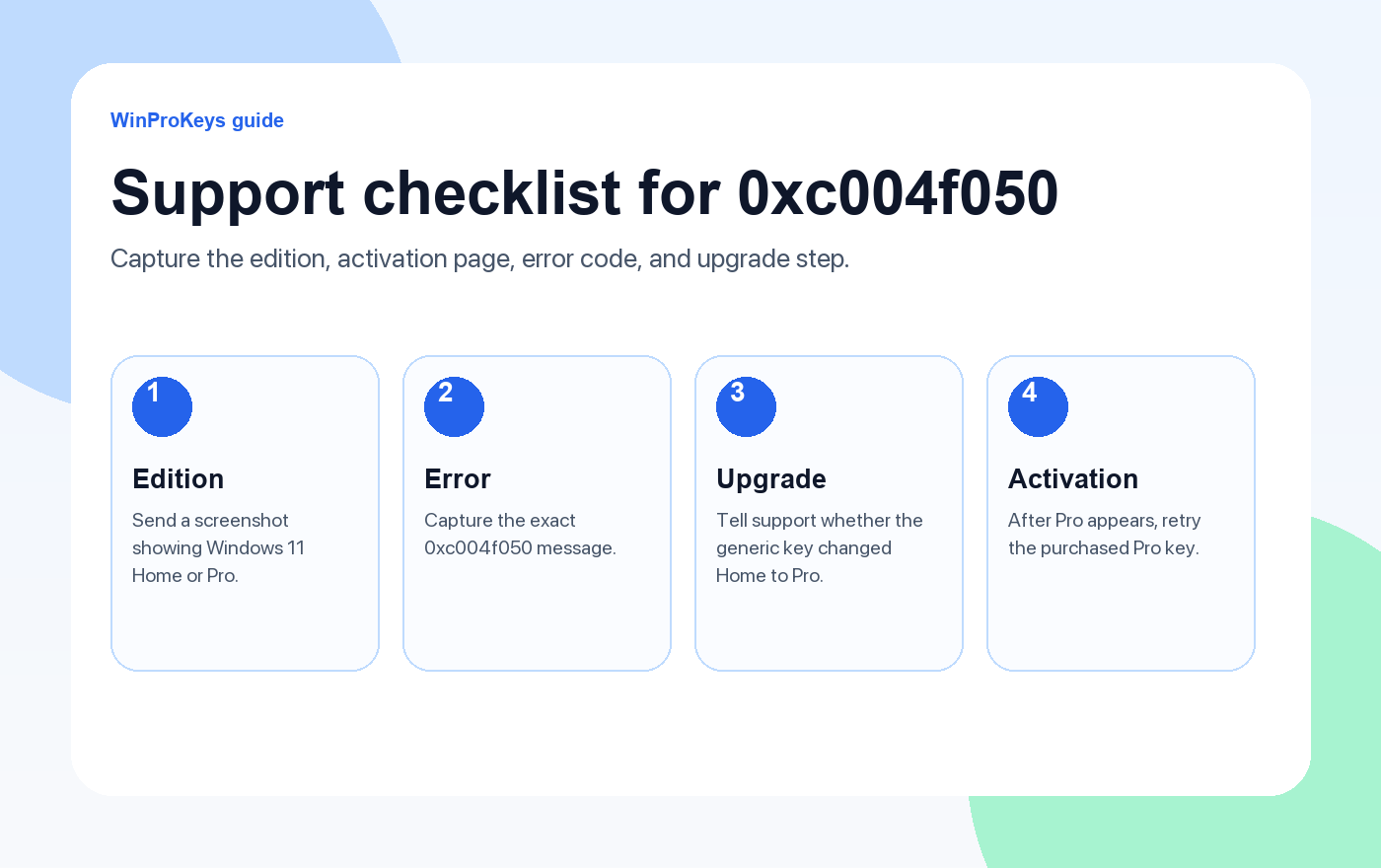
The short version: use the generic Windows 11 Pro upgrade key only to switch the edition, then use your purchased Pro key after Windows shows Pro.
Generic Windows 11 Pro upgrade key
VK7JG-NPHTM-C97JM-9MPGT-3V66T
This key is only used to switch Windows 11 Home to Windows 11 Pro. It is not an activation key.
Read This Before Retrying the Key
The most useful detail is the Windows edition shown on the Activation page. If the page says Windows 11 Home, the purchased Windows 11 Pro key may be rejected because Windows has not completed the edition upgrade. If the page says Windows 11 Pro, the edition-change step is already complete and the next check should focus on activation.
Do not keep entering the purchased key repeatedly while the PC still shows Home. That usually creates more confusion without changing the result. Finish the edition switch first, restart, then use the purchased Pro key only after the system clearly shows Windows 11 Pro.
Also keep the two keys separate. The generic upgrade key is a public edition-switch key. It does not prove ownership of a Pro license and it does not replace the Windows 11 Pro key from your order. The purchased key is used only after the edition has changed.
Quick Workflow
- Confirm the current edition in Settings > System > Activation.
- If the PC still shows Windows 11 Home, disconnect from the internet.
- Use the generic upgrade key VK7JG-NPHTM-C97JM-9MPGT-3V66T to switch the edition to Pro.
- Restart the PC and check that Windows now says Windows 11 Pro.
- Reconnect to the internet and enter the purchased Windows 11 Pro key.
- If activation still fails, capture the Activation page and contact support.
Windows 11 Home to Pro Upgrade FAQ
Can I upgrade Windows 11 Home to Pro?
Yes. Windows 11 Home can be upgraded to Windows 11 Pro. The important detail is that the edition change and the final activation are two different steps.
Why does my Windows 11 Pro key show error 0xc004f050?
When the PC is still running Windows 11 Home, 0xc004f050 can appear because the product key does not match the installed edition. A Pro key is meant for Windows 11 Pro, not for a Home installation that has not switched editions yet.
Is VK7JG-NPHTM-C97JM-9MPGT-3V66T an activation key?
No. It is a generic Windows 11 Pro upgrade key. It is used only to switch Windows 11 Home to Windows 11 Pro. It does not activate Windows and does not replace the product key you purchased.
What should I do after upgrading to Windows 11 Pro?
Reconnect to the internet, open Settings > System > Activation > Change product key, and enter your purchased Windows 11 Pro product key.
What if the generic upgrade key does not work?
Confirm the PC is currently Windows 11 Home, disconnect from the internet, check the key carefully, and try the edition-change step again. If it still fails, contact WinProKeys support for updated upgrade instructions and the latest generic key they recommend.
Should I contact support?
Yes, if Windows does not switch from Home to Pro, if Pro appears but activation still fails, or if you see a different error code after the upgrade. Support can review the edition state and order context.
Do I need internet during the upgrade?
For this specific Home-to-Pro workaround, disconnect before entering the generic upgrade key. Reconnect only after the device shows Windows 11 Pro, then enter the purchased Pro key for activation.
What screenshot should I send to support?
Send the Settings > System > Activation page. It should show the Windows edition, activation status, and any error code. This screenshot helps support see whether the device is still Home or already Pro.
WinProKeys is an independent software key store offering instant delivery and activation support. It is not operated by Microsoft. If your case does not follow the normal Home-to-Pro path, support may ask for screenshots before advising the next step.
When the Error Changes
After Windows switches from Home to Pro, you may no longer be dealing with the same 0xc004f050 problem. A different message can point to a network issue, activation server response, typing mistake, account-related digital license conflict, or an order-specific check. Always use the latest error code shown after the edition becomes Pro.
For support, the best message is short and specific: tell us whether the PC currently shows Home or Pro, whether the generic upgrade key completed the edition switch, and what error appears after entering the purchased Pro key. This helps avoid repeating steps you have already finished.
Guides connexes
Use these pages if you need the adjacent activation or edition-mismatch steps.
Need the live product pages?
If you have finished the guide and need the current Windows or Office pages, use the shop as the source of truth for pricing, delivery details, and activation help.
Open the shopStill need the right Windows edition?
If the error points to an edition mismatch or a license that cannot be recovered, compare the current Windows routes instead of guessing with another random key.
Use the live product pages for current pricing, delivery details, and activation help.

