


Last Updated: mai 31, 2026
0xC004F050 Home-to-Pro Diagnostic Checklist
Use this checklist when Windows 11 Home shows 0xC004F050 during a Windows 11 Pro key or Home-to-Pro upgrade attempt. It separates exact error wording, activated Home status, generic upgrade keys, Pro activation, digital-license wording, adjacent edition-mismatch routes, and private support evidence.
| Diagnostic step | What to check | Safe next route |
|---|---|---|
| Confirm the exact error and current edition | Record the exact 0xC004F050 wording and check whether Settings > System > Activation still shows Windows 11 Home. | Use Microsoft activation-error context plus the general 0xC004F050 guide and Windows activation error-code hub if the message is not specifically a Home-to-Pro case. |
| Check activated Home before changing edition | For a Home-to-Pro path, first separate the Windows 11 Home activation state from the later Windows 11 Pro activation step. | Microsoft describes the Home-to-Pro upgrade path in Microsoft Home-to-Pro upgrade context; then compare it with the WinProKeys Home-to-Pro readiness checklist. |
| Separate generic upgrade key from activation key | A generic edition-change key may switch Home to Pro but does not activate Windows; a Windows 11 Pro activation key is a separate item. | Use Microsoft product-key context and the Pro key not working on Home support guide before judging the key. |
| Use the Pro activation path after edition fit | Once the device is on Windows 11 Pro or clearly ready to change edition, use Change product key from Activation and avoid random reinstall attempts. | Keep the steps aligned with Microsoft activation context and the Windows 11 Pro activation readiness checklist. |
| Route digital license and account wording separately | If Windows mentions a digital license, linked Microsoft account, hardware change, or prior activation, that is not the same as entering a new Pro key. | Use the digital license vs product key guide or the Windows activation decision tree before retrying activation. |
| Compare adjacent Home-to-Pro routes | If the wording changes from 0xC004F050 to a broader edition mismatch, FAQ, or feature-fit question, move to the more specific route. | Use the Windows 11 Home-to-Pro upgrade FAQ, Home key vs Pro key mismatch guide, or Home vs Pro decision checklist as needed. |
| Keep support evidence private | If order-specific review is needed, do not post full keys, order emails, Microsoft account emails, payment details, or private screenshots publicly. | Use the private support evidence checklist and the safe Windows key seller checklist for buyer-safety context. |
WinProKeys is an independent software-key reseller, not Microsoft. Use Microsoft pages for general Windows activation, product-key, and upgrade context, and use WinProKeys support routes for practical edition-fit, 0xC004F050, activation, delivery, and private order-specific troubleshooting.
Short Answer
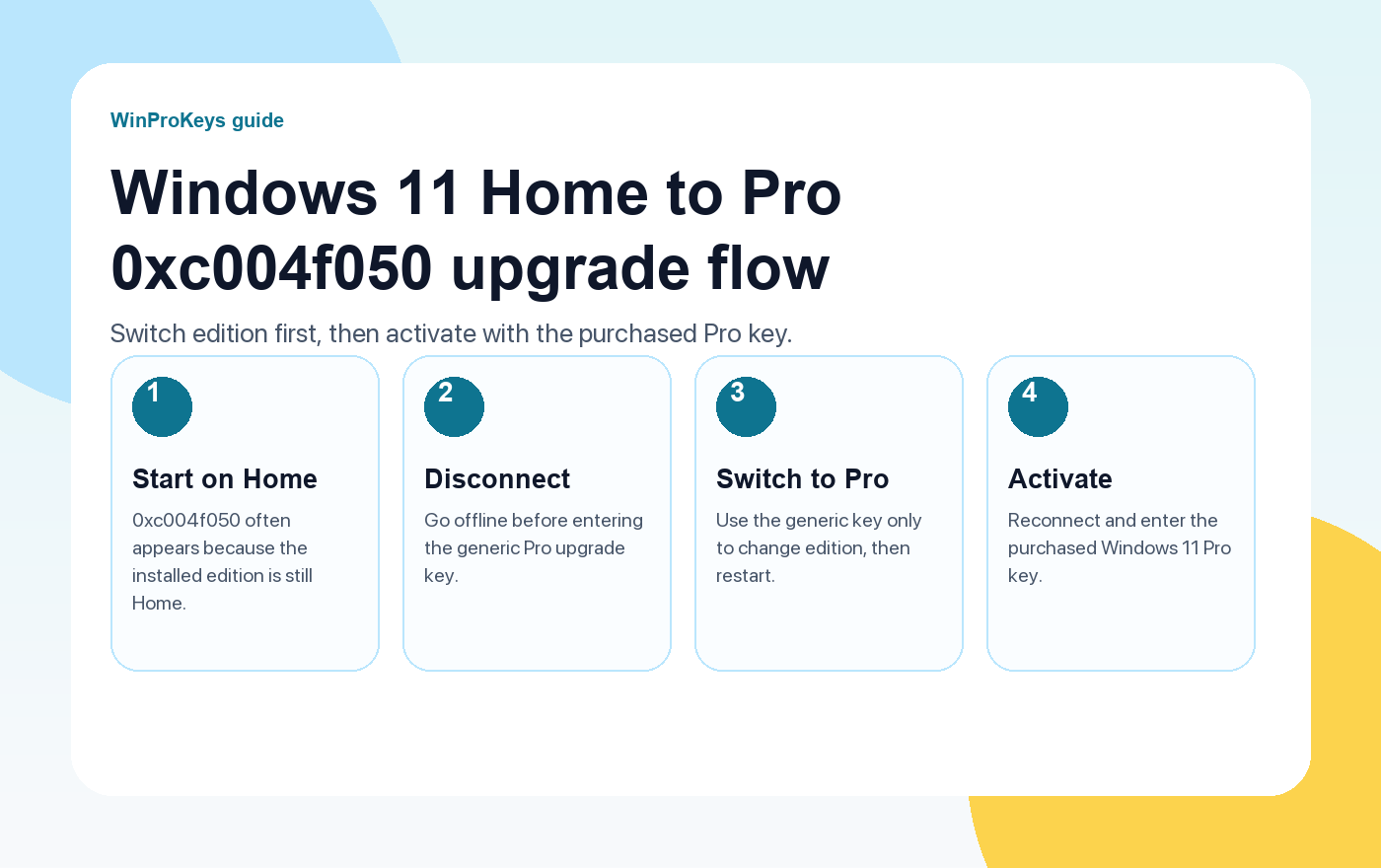
If Windows 11 Home shows error 0xc004f050 during a Home-to-Pro upgrade, check edition order first. Microsoft says manual Home-to-Pro upgrade steps apply to devices already running an activated copy of Windows 11 Home. Use the generic Pro upgrade key only to switch edition, not to activate. After Windows shows Pro, enter the purchased Windows 11 Pro key. If activation still fails, collect the edition, error code, screenshot, and order email for private support.
If you bought a Windows 11 Pro product key while your PC is still running Windows 11 Home, error 0xc004f050 often does not mean the purchased key is immediately invalid. In many Home-to-Pro cases, Windows is rejecting the key because the installed edition has not successfully changed from Home to Pro yet.
The correct order is simple: first switch the installed edition from Windows 11 Home to Windows 11 Pro, then enter the Windows 11 Pro key you purchased to activate the Pro edition. Treat the upgrade step and the activation step as two separate actions.
Quick answer
Disconnect from the internet, enter the generic Windows 11 Pro upgrade key VK7JG-NPHTM-C97JM-9MPGT-3V66T to switch editions, restart, reconnect, then enter your purchased Windows 11 Pro product key in Settings > System > Activation > Change product key.
Why 0xc004f050 Appears During a Home to Pro Upgrade
Microsoft’s activation system checks the edition installed on the device. A Windows 11 Pro key is meant for Windows 11 Pro. If the device still says Windows 11 Home, the activation screen may reject the Pro key because the current edition is not ready to use it.
That is why this error can be misleading. A customer sees a message that the key does not work, but the root problem may be the edition state of the PC. The system is still Home, while the key is for Pro.
There are other possible causes too. The key can be typed incorrectly, the activation servers can be temporarily unreachable, the device can have a prior digital license tied to another edition, or the store and customer may need to check the order details. Still, when the current system is Windows 11 Home and the purchased key is Windows 11 Pro, edition mismatch is the first thing to check.
Before You Start
- Make sure the PC is currently running Windows 11 Home. Open Settings > System > Activation and read the edition shown there.
- Save your purchased Windows 11 Pro product key, but do not keep entering it again and again while the system still shows Home.
- Close important apps and save your work. The edition-change step normally requires a restart.
- Do not use the generic upgrade key as your real activation key. It only moves the installed edition to Pro.
Step-by-Step Fix
Step 1: Disconnect from the internet
Turn off Wi-Fi or unplug the Ethernet cable. The offline step helps Windows accept the generic edition-change key as an upgrade key instead of immediately trying to validate it as an activation key.
Step 2: Open the Activation page
Go to Settings > System > Activation. Find the section for changing the product key. On most Windows 11 builds, you will see Change product key next to the activation or upgrade option.
Step 3: Enter the generic Windows 11 Pro upgrade key
Click Change product key and enter this generic Windows 11 Pro upgrade key:
Generic Windows 11 Pro upgrade key
VK7JG-NPHTM-C97JM-9MPGT-3V66T
This key is only used to switch Windows 11 Home to Windows 11 Pro. It is not an activation key.
This key is not the key you purchased. It is used only to switch Windows 11 Home to Windows 11 Pro. It does not activate your Windows license.
Step 4: Let Windows switch to Pro and restart
Windows should begin the edition-change process. The PC may restart. After the restart, go back to Settings > System > Activation and confirm that the edition now says Windows 11 Pro. This is the moment many users miss.
Step 5: Reconnect to the internet
Once the installed edition is Windows 11 Pro, reconnect to the internet. Windows can now contact activation services using the correct edition.
Step 6: Enter your purchased Windows 11 Pro product key
Return to Settings > System > Activation > Change product key. This time, enter the Windows 11 Pro product key you purchased. If the edition was changed correctly, Windows is now in the right state to use a Pro key.
Step 7: Check the final activation status
After the key is accepted, the Activation page should show that Windows is activated. If it still fails, do not keep retrying blindly. Save a screenshot of the Activation page and the exact error message.
Troubleshooting Checklist
- Does Settings > System > Activation still show Windows 11 Home? If yes, the edition-change step has not finished.
- Does it show Windows 11 Pro but still fail to activate? Then the next check is the purchased Pro product key, the exact error text, and the order details.
- Was the PC online when the generic upgrade key was entered? If yes, try the edition-change step again after disconnecting from the internet.
- Was the generic key typed correctly? One wrong character can stop the upgrade step.
- Did Windows restart after the upgrade step? If not, restart manually and check the edition again.
- Is there a different error code after the system becomes Pro? If yes, use the new code for troubleshooting instead of assuming this is still the same issue.
When to Contact WinProKeys Support
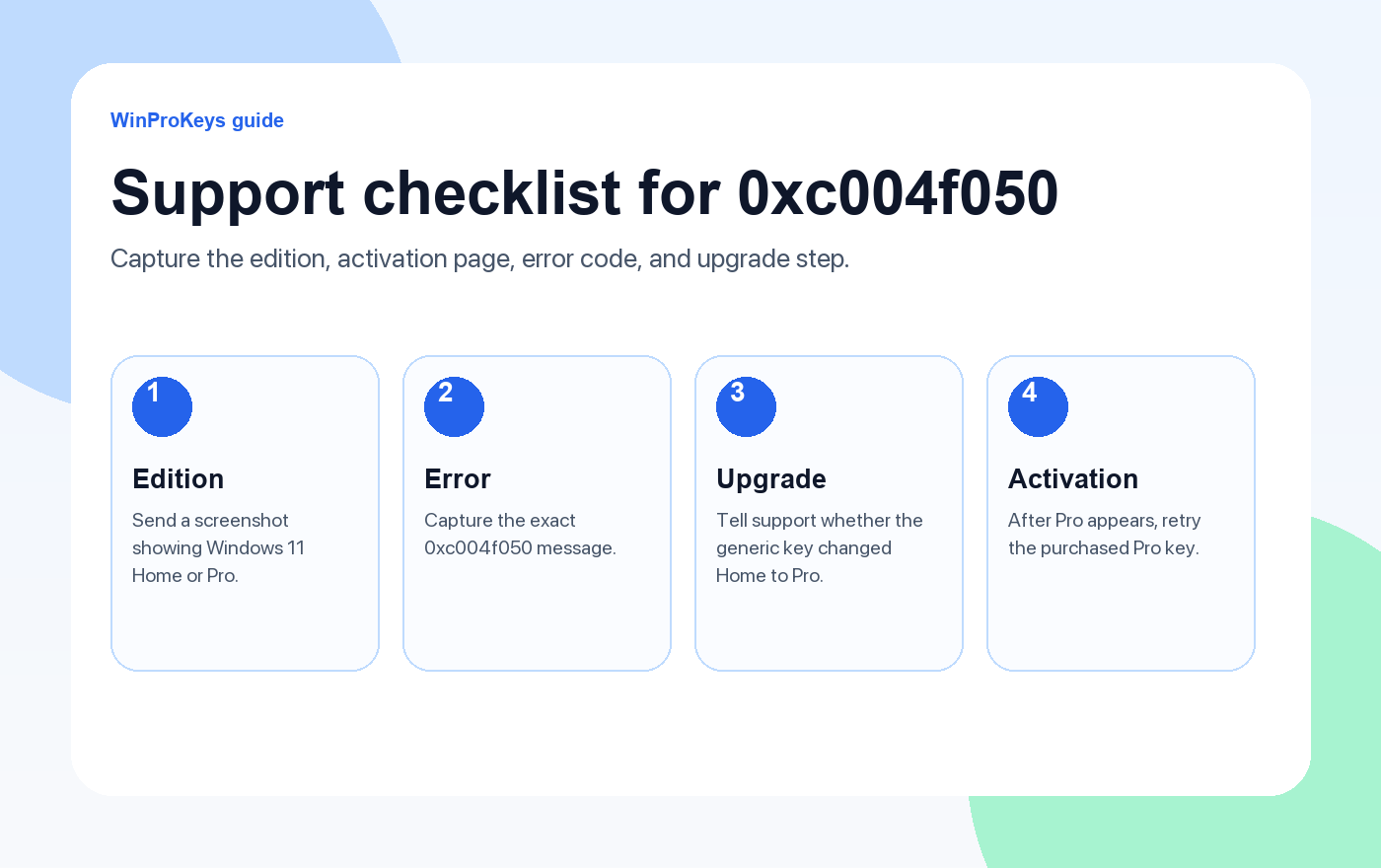
If the generic upgrade key does not switch the device to Windows 11 Pro, or if the device becomes Pro but your purchased key still does not activate, contact WinProKeys support. Include the order email, a screenshot of Settings > System > Activation, the exact error code, and whether the system currently shows Home or Pro.
WinProKeys is an independent software key store offering instant delivery and activation support. It is not operated by Microsoft. The support team can help you check the order, review the edition state, and provide the latest upgrade instructions when the normal Home-to-Pro flow does not complete.
Microsoft Reference Links
Use these pages if you need the adjacent activation or edition-mismatch steps.
Related WinProKeys Guides
Use these pages if you need the adjacent activation or edition-mismatch steps.
Frequently Asked Questions
What does error 0xc004f050 mean when upgrading Windows 11 Home to Pro?
In this situation, 0xc004f050 usually means the current Windows edition cannot use the product key being entered, or the product key does not match the edition currently installed. A Windows 11 Pro key cannot activate a device that is still running Windows 11 Home until the edition has been changed to Pro.
Can Windows 11 Home be upgraded to Windows 11 Pro?
Yes. Windows 11 Home can be upgraded to Windows 11 Pro through the Activation settings page when the edition-change process is completed correctly.
Is VK7JG-NPHTM-C97JM-9MPGT-3V66T an activation key?
No. It is a generic Windows 11 Pro upgrade key used to switch the installed edition from Home to Pro. It does not activate Windows. After the edition changes to Pro, you still need to enter the Windows 11 Pro product key you purchased.
What should I do if the generic upgrade key does not work?
Check that the device is currently on Windows 11 Home, disconnect from the internet, and try the edition-change step again. If it still fails, contact WinProKeys support for the latest upgrade instructions and the current generic key they recommend.
What should I send support if activation still fails?
Send a screenshot of Settings > System > Activation, the exact error code, the installed edition shown on the page, and whether the generic upgrade key successfully changed the system from Home to Pro.
Need the live product pages?
If you have finished the guide and need the current Windows or Office pages, use the shop as the source of truth for pricing, delivery details, and activation help.
Open the shopStill need the right Windows edition?
If the error points to an edition mismatch or a license that cannot be recovered, compare the current Windows routes instead of guessing with another random key.
Use the live product pages for current pricing, delivery details, and activation help.

