


Last Updated: junio 1, 2026
Short Answer
If the Windows Activation Troubleshooter does not work, check internet access, date and time, installed edition, Microsoft account history, and the exact activation error. If the issue is order-related, send WinProKeys support the order email and screenshot.
- Start with the installed Windows edition and activation status.
- Use Microsoft support pages for official activation behavior.
- Use WinProKeys support for order, delivery, setup, and common troubleshooting context.
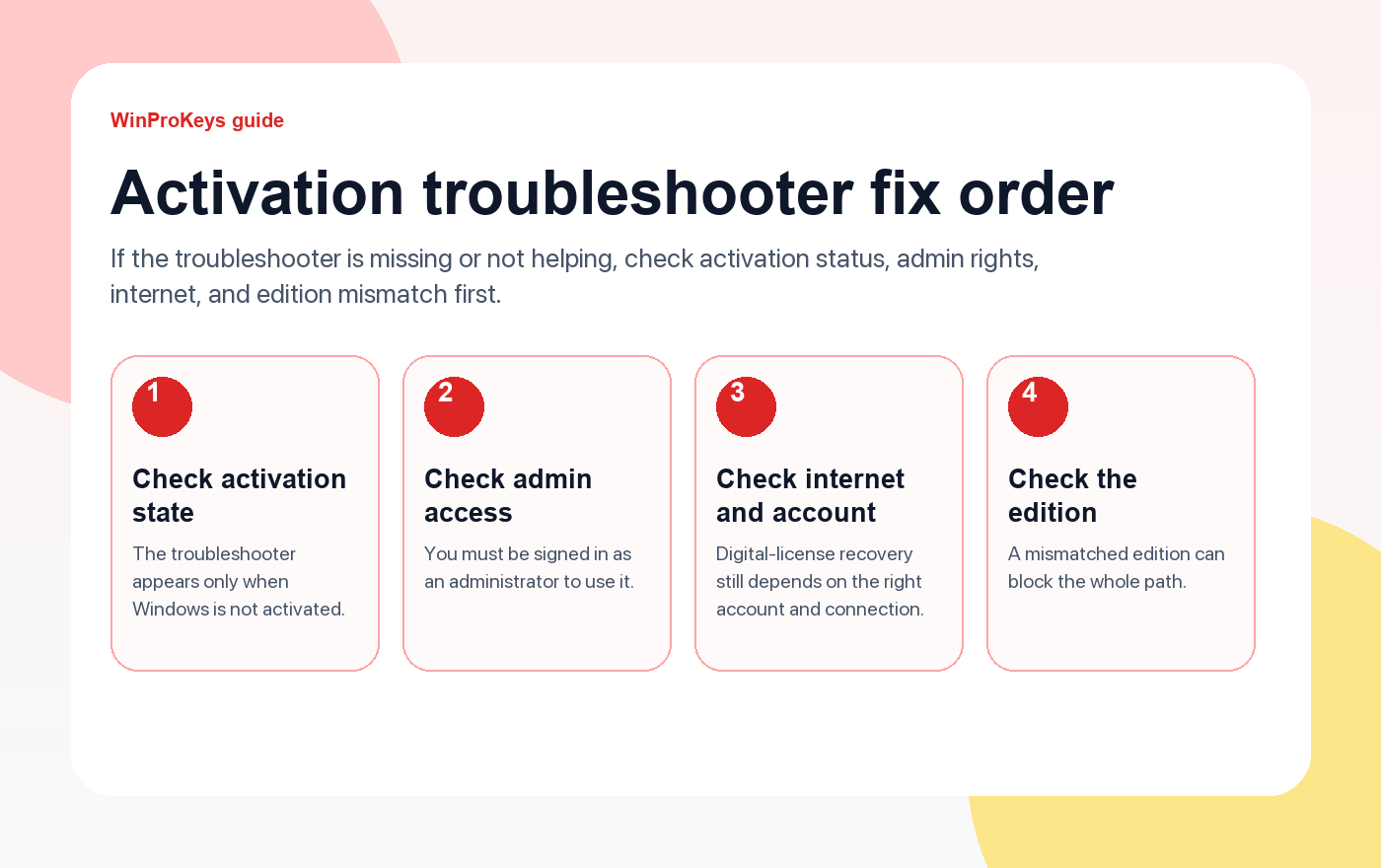
When the Windows Activation troubleshooter is not helping, the first mistake is assuming the troubleshooter itself is broken. Often it is behaving exactly as designed. The Troubleshoot option is available only when Windows is not activated, and Microsoft also expects the user to be signed in as an administrator with the right internet connection and the right account context.
Troubleshooter checks
Use these pages when the Windows activation troubleshooter is not helping
The troubleshooter is useful, but it is narrower than many people assume. It only shows up in the right activation state, under the right account, on the right edition path.
- Fix activation after hardware changeUseful when the troubleshooter problem started after a rebuild.
- How to activate Windows 11Good first stop if you need to confirm the normal activation path.
- Fix error 0x803F7001Use this when Windows cannot find a valid license.
- Fix error 0xC004C003Use this when the key looks blocked or invalid.
Why the troubleshooter may not even appear
The Troubleshoot option is available only when Windows is not activated. If Windows thinks the device is already activated, or if the license state is in a different branch than you expect, that option may not appear the way guides on the web suggest.
Admin access and internet still matter
Microsoft says you need to be signed in as an administrator, and Windows activation still needs an internet connection. Those checks sound basic, but they are often the reason the tool seems useless on a machine that was rebuilt, partially reinstalled, or signed into the wrong account.
Edition mismatch can make the tool feel broken
If the device is running the wrong edition, the troubleshooter can only do so much. Fixing a Home versus Pro mismatch is often the real work. The tool is not a shortcut around the edition rules.
| Check | Why it matters |
|---|---|
| Windows is not activated | The troubleshooter appears only in the correct activation state |
| Signed in as an administrator | Microsoft requires admin access for the tool |
| Internet connection and right account | Digital-license recovery still depends on both |
| Installed edition is correct | Edition mismatch can block the entire path |
Frequently Asked Questions
Why is the troubleshooter missing?
Usually because Windows does not currently see the device as unactivated in the way the tool expects.
Do I need admin rights?
Yes. You need to be signed in as an administrator.
Can the troubleshooter fix the wrong edition?
Not by itself. You still need the edition path to make sense.
What if the tool still does not help?
Move to the hardware-change or activation-error guides instead of repeating the same attempt.
If Troubleshooter stalls, fall back to edition and license checks
The Troubleshooter is only one step. If it cannot reconnect the license, the next useful check is whether the install and the key still belong together.
- Windows 11 Home vs Pro if you need to verify the current edition first.
- Clave de producto de Windows 11 Pro for Pro systems that still need business-side features.
- Windows 11 Home Product Key for Home devices that should not be on Pro.
- Windows activation error guides if Troubleshooter fails and a clearer error code appears afterward.
Source and Support Links
Use Microsoft Support pages for general product behavior and activation rules. Use WinProKeys pages for store delivery, order support, and reseller-specific guidance.
Frequently Asked Questions
What should I check first for Fix Windows Activation Troubleshooter Not Working?
Check the installed Windows edition, activation status, recent hardware changes, and the exact error message. Home and Pro keys are not interchangeable.
Is WinProKeys operated by Microsoft?
No. WinProKeys is an independent software-key reseller and is not operated by Microsoft. Microsoft Support pages are the primary source for Windows activation behavior.
What should I send support if activation does not work?
Send the order email, installed Windows edition, exact error code, screenshot, and whether this is a new PC, reinstall, upgrade, BIOS update, or hardware change.
Windows Activation Error Route Map
If the activation troubleshooter is missing, blocked, or unhelpful, classify the activation problem by error code, edition mismatch, hardware change, or private order evidence before retrying.
- Windows activation error codes – Start here when the exact error-code branch is still unclear.
- Product key already used / 0xC004C008 – Use when Windows says the key is already used or activation limit related.
- 0xC004F050 Home-to-Pro guide – Use when a Windows 11 Home device must be moved to Pro before final activation.
- Error 0xC004C003 fix – Use when Windows says the activation server determined the key is blocked or not valid for this device.
- Error 0x80004005 guide – Use for broad activation failures where edition, network, account, and system state all need checks.
- Activation after a motherboard change – Use after major PC repair or rebuild work.
- Public forum support answer path – Use for Reddit, Quora, and forum answers without exposing private order data.
Private Key Safety
Do not post a full Windows product key in public comments, Reddit, Quora, forums, screenshots, or shared documents. For a WinProKeys order review, use private support with the order email, product name, installed Windows edition, exact error code, and a screenshot where private key details are hidden.
primary source Context
Microsoft controls Windows activation behavior, error-code handling, product-key rules, and hardware-change reactivation. WinProKeys can review store-order evidence, delivery, and post-order support context only.
Need the live product pages?
If you have finished the guide and need the current Windows or Office pages, use the shop as the source of truth for pricing, delivery details, and activation help.
Open the shopStill need the right Windows edition?
If the error points to an edition mismatch or a license that cannot be recovered, compare the current Windows routes instead of guessing with another random key.
Use the live product pages for current pricing, delivery details, and activation help.


3 thoughts on “Fix Windows Activation Troubleshooter Not Working (2026)”
Comments are closed.