



Last Updated: Juni 1, 2026
Short Answer
Windows product key types are not interchangeable. Retail, OEM, Volume, and digital license paths have different transfer, device, and activation expectations, so buyers should understand the type before reinstalling or moving Windows.
- Check the exact product version and edition before buying or activating.
- Use Microsoft support pages for official activation behavior.
- Use WinProKeys support for order, delivery, setup, and common troubleshooting context.
Use this next
Open these guides before you choose a Windows key
Most readers do not need more product hype. They need a clear path for edition choice, license type, and a trustworthy seller.
- Windows 11 Home vs ProStart here if you still have not decided which edition fits the machine.
- Is an OEM key legal?Useful when a lower-cost listing mentions OEM but does not explain the trade-off.
- Is it safe to buy cheap Windows keys online?A practical trust check before you hand over payment details.
- Browse the live Windows key pagesUse the current product pages as the source of truth for offer and support details.
Common search intent
Essential vs Professional key: what people usually mean
Searches for essential vs professional key usually mix two different ideas: a basic or Home-style license for everyday use, and a Pro or Professional license for work features. The safest answer is to match the key to the software edition already installed or the edition you actually plan to install.
- For Windows: Essential usually means Home-level needs such as browsing, apps, schoolwork, and light work. Professional usually means Windows Pro features such as BitLocker, Remote Desktop host, Hyper-V, domain or business device management, and stronger work-device controls.
- For Office: Essential usually means the core apps a home or student user needs. Professional or Professional Plus usually means a fuller desktop-app suite for Windows business workflows. Always check the exact app list before buying.
- For activation: a Professional key will not fix a Home installation unless the edition path supports an upgrade. If activation fails, check Home-vs-Pro mismatch before assuming the key is bad.
Useful next reads: Home vs Pro edition mismatch, Windows 11 Pro vs Home, and the Windows key hub.
Why Understanding Key Types Matters
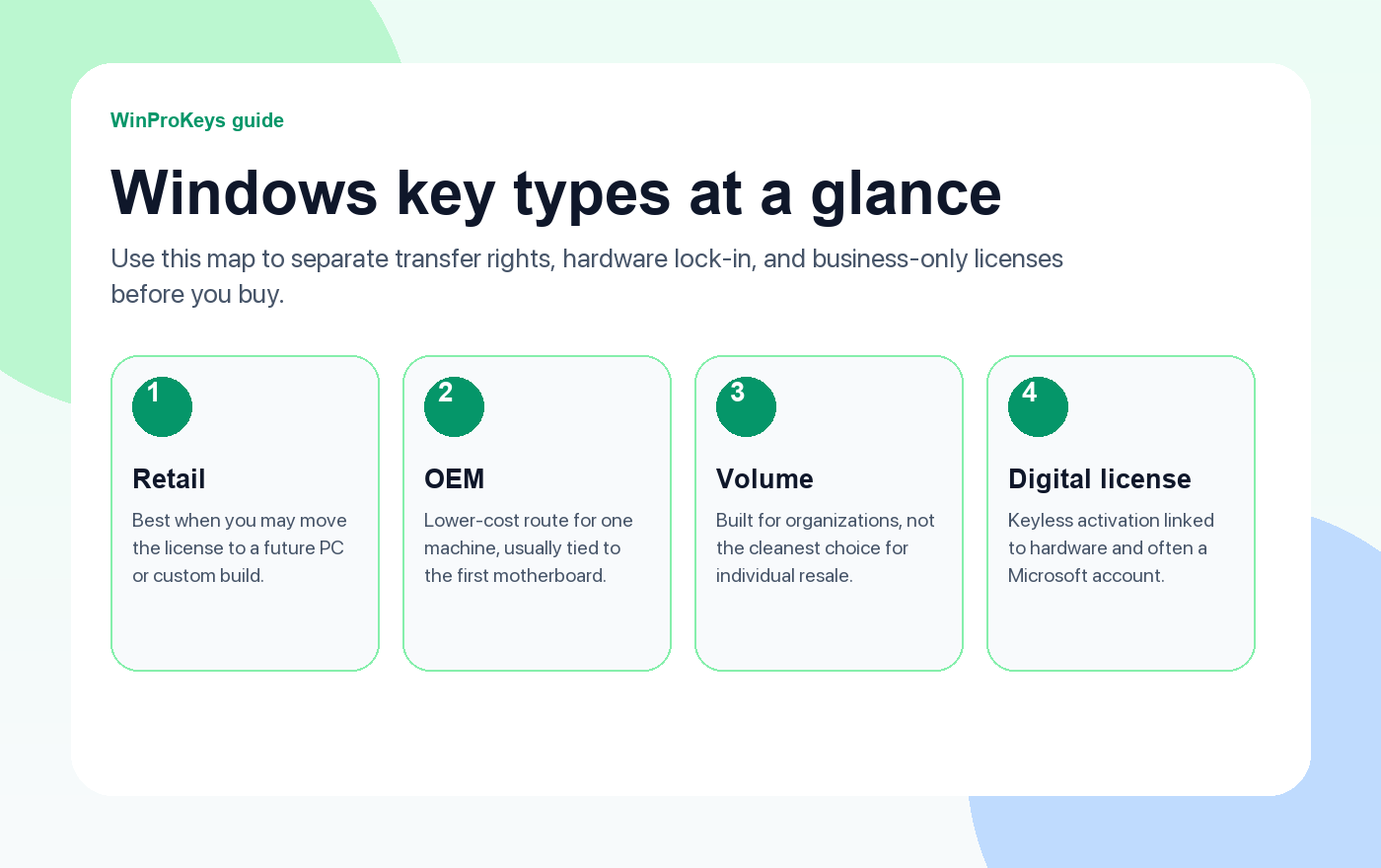
Not all Windows product keys are created equal. The type of key you own determines whether you can transfer it to a new computer, how activation works, and what rights you have as a user. Before you buy a Windows license, understanding the differences between Retail, OEM, Volume, and Digital License keys can save you money and prevent headaches down the road.
Let’s break down each type so you know exactly what you’re getting.
Retail Keys
What Is a Retail Key?
A Retail key is a full-price Windows license purchased directly from Microsoft, authorized retailers, or trusted online sellers. It’s the most flexible license type available to consumers.
Key Characteristics
- Transferable: You can move a Retail key from one PC to another. If you build a new computer or replace your old one, deactivate the key on the old machine and activate it on the new one.
- Not tied to hardware: The license belongs to you, not to a specific motherboard or device.
- Full Microsoft support: You can contact Microsoft for activation help and troubleshooting.
- Works on custom-built PCs: Ideal for users who build their own systems.
Pros and Cons
- ✅ Fully transferable between PCs
- ✅ Full support from Microsoft
- ✅ Can be used on any compatible PC
- ❌ Higher price than OEM keys
Best For
PC builders, users who upgrade hardware frequently, and anyone who wants maximum flexibility. If you still need to compare the current buying paths after choosing a key type, the Windows key hub is the best next stop.
OEM Keys
What Is an OEM Key?
OEM stands for Original Equipment Manufacturer. These keys are designed for PC manufacturers (like Dell, HP, Lenovo) to pre-install Windows on new computers. They’re also sold separately at a lower price than Retail keys.
Key Characteristics
- Tied to the first PC: Once activated, an OEM key is permanently linked to that computer’s motherboard. You cannot transfer it to a different machine.
- No transfer rights: If your motherboard dies or you build a new PC, the key stays with the old hardware.
- Limited support: Microsoft directs OEM key users to the hardware manufacturer for support, not to Microsoft directly.
- Lower price: Significantly cheaper than Retail keys.
Pros and Cons
- ✅ Much cheaper than Retail
- ✅ Recognized activation path for the intended device
- ✅ Activation tied to the original PC
- ❌ Cannot be transferred to another PC
- ❌ Limited Microsoft support
Best For
Users who plan to keep their current PC for a long time and want to save money. If you’re not planning to swap motherboards anytime soon, an OEM key is a smart, budget-friendly choice.
Want to learn more about OEM key legality? Read our detailed guide: Is an OEM Key Legal? Everything You Need to Know.
Volume License Keys (VLK / MAK / KMS)
What Is a Volume License Key?
Volume License keys are designed for businesses, schools, and organizations that need to activate Windows on many computers at once. They come in two main flavors:
- MAK (Multiple Activation Key): A single key that can activate a set number of devices. Each device activates directly with Microsoft’s servers.
- KMS (Key Management Service): Devices activate against an organization’s internal KMS server. Activation must be renewed periodically (usually every 180 days).
Key Characteristics
- Bulk licensing: Designed for deploying Windows across dozens or hundreds of machines.
- Not for individual resale: Volume keys are licensed to organizations, not individual consumers.
- MAK keys have a limited number of activations.
- KMS activation requires network connectivity to the organization’s server.
Pros and Cons
- ✅ Cost-effective for large deployments
- ✅ Centralized management
- ✅ Flexible deployment options
- ❌ Not intended for individual consumers
- ❌ KMS requires periodic reactivation
- ❌ Reselling individual Volume keys may violate licensing terms
Best For
IT departments, enterprises, and educational institutions managing large fleets of PCs. Individual consumers should stick with Retail or OEM keys.
Digital License (Digital Entitlement)
What Is a Digital License?
A Digital License (also called Digital Entitlement) is a keyless activation method tied to your hardware and Microsoft account. You don’t need to enter a product key — Windows activates automatically based on your device’s hardware signature.
How You Get a Digital License
- Free upgrade from Windows 7/8/10: If you upgraded to Windows 10 or 11 for free, your activation is stored as a Digital License.
- Buying from the Microsoft Store: Purchasing Windows through the Microsoft Store links a Digital License to your Microsoft account.
- Pre-installed Windows: New PCs from major manufacturers often come with a Digital License embedded in the UEFI firmware.
Key Characteristics
- No product key needed: Activation happens automatically when connected to the internet.
- Linked to hardware: The license is tied to your device’s hardware ID (primarily the motherboard).
- Microsoft account linking: You can link your Digital License to your Microsoft account, which helps with reactivation after hardware changes.
- Survives reinstalls: Reinstalling Windows on the same hardware will automatically reactivate.
Pros and Cons
- ✅ No key to lose or remember
- ✅ Automatic activation on reinstall
- ✅ Can be linked to Microsoft account for recovery
- ❌ Tied to hardware (major changes may require reactivation)
- ❌ Can’t be manually transferred like a Retail key
Best For
Users who upgraded from a previous Windows version for free, or anyone with a pre-built PC from a major manufacturer.
Comparison Table: All Key Types at a Glance
| Feature | Retail | OEM | Volume (MAK/KMS) | Digital License |
|---|---|---|---|---|
| Transferable | ✅ Yes | ❌ No | ❌ No | ❌ No (hardware-linked) |
| Tied to Hardware | No (tied to user) | Yes (motherboard) | Varies | Yes (hardware ID) |
| Preis | Highest | Lower | Bulk pricing | Free (upgrade) or included |
| Microsoft Support | Full | Limited | Enterprise support | Full |
| Reactivation on Same PC | ✅ | ✅ | ✅ | ✅ (automatic) |
| Best For | PC builders, upgraders | Budget buyers, single PC | Organizations | Pre-built PCs, upgraders |
How to Check Your Current Key Type
Want to know what type of key your PC is using? Open Command Prompt as Administrator and run:
slmgr /dli
This displays your license information, including the description field which indicates the license channel (Retail, OEM, Volume, etc.).
For more detail, run:
slmgr /dlv
Buying Advice: Which Key Type Should You Choose?
- Building a PC or upgrading often? → Go with a Retail key. The transferability is worth the extra cost.
- Buying for one PC you’ll keep for years? → An OEM key saves money without sacrificing functionality.
- Managing multiple PCs for a business? → Look into Volume Licensing through Microsoft’s official programs.
- Already have a Digital License? → You’re set. Just link it to your Microsoft account for safekeeping.
For a deeper dive into transferring licenses, read our guide on how to transfer a Windows license to a new computer.
Choose a Windows Product Key Safely
No matter which type you choose, make sure you’re buying from a trusted source. Use the live Windows key hub for current availability, edition-fit guidance, delivery details, and activation support paths.
👉 Buy Windows 11 Pro Key
👉 Buy Windows 10 Pro Key
👉 Buy Windows 10 Home Key
Frequently Asked Questions
Can I convert an OEM key to a Retail key?
No. The license type is determined at the time of purchase and cannot be changed. If you need transferability, you’ll need to purchase a separate Retail key.
Is it legal to buy OEM keys as an individual?
Yes, in most regions it is legal to purchase and use OEM keys as an individual. However, you should be aware that OEM keys come with limited support and cannot be transferred. Read our full analysis: Is an OEM Key Legal?
What happens to my Digital License if I change my motherboard?
A motherboard change may deactivate Windows. If your Digital License is linked to your Microsoft account, you can use the Activation Troubleshooter (Settings → System → Activation → Troubleshoot) to reactivate on the new hardware.
How do I reduce the risk of choosing the wrong Windows key?
Genuine keys activate successfully through Microsoft’s servers. If activation fails or you see error messages about invalid keys, the key may not be legitimate. Buy from trusted sellers like WinProKeys to ensure authenticity.
Can I use a Windows 10 key to activate Windows 11?
A valid Windows 10 key may activate the corresponding edition of Windows 11 when Microsoft’s activation path accepts that edition match. A Windows 10 Pro key activates Windows 11 Pro, and a Windows 10 Home key activates Windows 11 Home.
Source and Support Links
Use Microsoft Support pages for general product behavior and activation rules. Use WinProKeys pages for store delivery, order support, and reseller-specific guidance.
Frequently Asked Questions
What is the first thing to check for Windows Product Key Types Explained?
Check the installed Windows edition first. A Home key and a Pro key are not interchangeable, and many activation problems begin with edition mismatch.
Is WinProKeys operated by Microsoft?
No. WinProKeys is an independent software key reseller, not operated by Microsoft. Microsoft Support pages are the primary source for Windows activation behavior.
What should I send support if Windows activation fails?
Send the order email, installed Windows edition, exact error code, screenshot, and whether this is a new PC, reinstall, Home-to-Pro upgrade, or hardware change.
Need the live product pages?
If you have finished the guide and need the current Windows or Office pages, use the shop as the source of truth for pricing, delivery details, and activation help.
Open the shopChoose the product path that matches your device
These are the six Windows and Office routes we actively support most. Pick by edition fit first, then use the live product page for redemption steps, delivery timing, and post-sale support details.
If you are still deciding, use the Windows hub oder Office hub before checkout.


10 thoughts on “Windows Product Key Types Explained: Retail, OEM, Volume, and Digital License”
Comments are closed.