


Last Updated: Juni 1, 2026
Short Answer
A Windows 11 Pro key usually will not activate cleanly while the device is still running Windows 11 Home. First complete the Home-to-Pro edition change, then enter the purchased Pro key after Windows shows the Pro edition.
- Confirm whether Settings still says Windows 11 Home.
- Use the edition-upgrade path before expecting Pro activation.
- Send support a screenshot of the Activation page if the error continues.
Windows 11 Pro Key Not Working on Home Diagnostic Checklist
Use this checklist when a Windows 11 Pro key appears not to work on a Windows 11 Home PC. It separates the installed edition, generic upgrade key, activation key, 0xC004F050, edition mismatch, digital-license wording, Pro activation, and private support evidence.
| Diagnostic step | What to check | Best next route |
|---|---|---|
| Confirm the PC is still on Windows 11 Home | Open Settings > System > Activation and confirm the installed edition before treating the Pro key as failed. | Use Microsoft activation context, Microsoft Home-to-Pro upgrade context, and the Home-to-Pro readiness checklist before retrying. |
| Separate generic upgrade key from activation key | A generic upgrade key can switch the edition from Home to Pro, but it does not activate Windows. | Compare Microsoft product-key context with the Windows 11 Home-to-Pro upgrade FAQ if the user is mixing the two. |
| Route 0xC004F050 first | If the screen shows 0xC004F050, invalid key, or not valid for this edition wording, diagnose edition fit before judging the key. | Use the 0xC004F050 Home-to-Pro diagnostic checklist and Microsoft activation-error context. |
| Check adjacent edition mismatch wording | A Pro key on Home, Home key on Pro, version mismatch, or wrong installed edition can look like a failed purchase even when the route is edition fit. | Use the Home key vs Pro key mismatch guide and general 0xC004F050 guide for closer wording. |
| Confirm Pro is actually needed | If the user only wants normal browsing, Office, or games, Windows 11 Home may be enough; Pro matters for feature-specific needs. | Use the Windows 11 Home vs Pro decision checklist before forcing an upgrade. |
| Activate Pro after the edition changes | After Windows changes to Pro, use Change product key from Activation and keep the activation step separate from the edition-change step. | Use the Windows 11 Pro activation checklist for the clean sequence, then use the Windows activation error-code hub if Windows shows a different code. |
| Do not mix digital license recovery into key entry | Digital license, linked Microsoft account, hardware change, or prior activation messages lead to a different branch than entering a Pro key. | Use the digital license vs product key guide or the Windows activation decision tree. |
| Keep public support evidence safe | Do not post full keys, order emails, Microsoft account emails, payment details, or private screenshots in comments or forums. | Use the private support evidence checklist and the safe Windows key seller checklist for support and buyer-safety context. |
WinProKeys is an independent software-key reseller, not Microsoft. Microsoft Support pages are source context for Windows activation, product-key, upgrade, and activation-error behavior; WinProKeys support pages are practical routes for edition fit, Home-to-Pro upgrade issues, activation troubleshooting, delivery context, and private order-specific review.
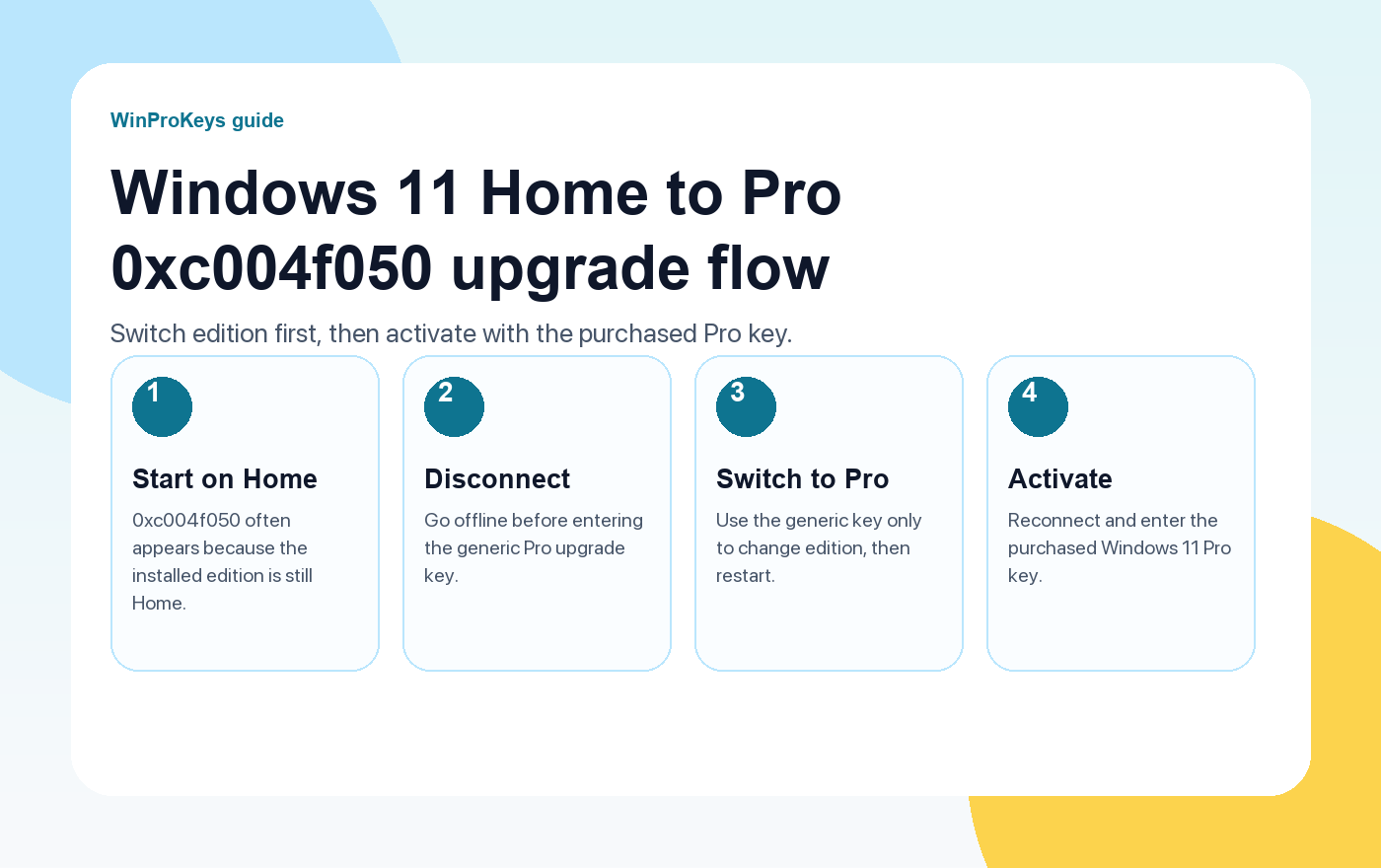
If your current system is Windows 11 Home and your Windows 11 Pro key shows error 0xc004f050, the most likely issue is that the PC has not upgraded to Windows 11 Pro yet. The key may be rejected because it is being entered while the installed edition is still Home.
Use the steps below in order. The goal is to change the Windows edition first, then activate with the Pro key you purchased.
Why this happens
A Windows product key is tied to a Windows edition. Windows 11 Home and Windows 11 Pro are separate editions, so a Pro key is not always accepted while the installed system still identifies itself as Home. That is why the same customer can see an activation error before the edition change, then successfully activate after Windows shows Pro.
This does not automatically mean the product key you purchased is invalid. It means the first thing to confirm is the edition shown in Windows settings. If the page still says Windows 11 Home, finish the Home-to-Pro switch before retrying the purchased Pro key.
Step 1: Disconnect from the internet
Turn off Wi-Fi or unplug Ethernet before entering the generic upgrade key.
Step 2: Go to Settings > System > Activation
Open the Windows Activation page and check the edition shown at the top. If it says Windows 11 Home, continue with the next step.
Step 3: Click Change product key
Find Change product key on the Activation page. This is where you enter the generic upgrade key first.
Step 4: Enter the generic Windows 11 Pro upgrade key
Generic Windows 11 Pro upgrade key
VK7JG-NPHTM-C97JM-9MPGT-3V66T
This key is only used to switch Windows 11 Home to Windows 11 Pro. It is not an activation key.
This generic key is only for switching the Windows edition from Home to Pro. It is not your purchased activation key and it will not activate Windows by itself.
Step 5: Restart your computer
Allow Windows to complete the edition change. Restart the computer if Windows asks you to restart. After the restart, go back to Settings > System > Activation and check whether the edition now says Windows 11 Pro.
Step 6: Reconnect to the internet
Once Windows shows Pro, reconnect the device to the internet.
Step 7: Enter your purchased Windows 11 Pro product key
Go back to Settings > System > Activation > Change product key. Now enter the Windows 11 Pro product key you purchased from WinProKeys.
If It Still Fails
If the generic upgrade key does not change the edition, or if Windows changes to Pro but the purchased key still does not activate, contact WinProKeys support. The support team may ask for the current Activation page screenshot and can provide updated upgrade instructions if needed.
- Screenshot of Settings > System > Activation
- The exact error code or message
- Whether the page says Windows 11 Home or Windows 11 Pro
- Whether the generic upgrade key completed the edition change
- Your order email address or order number
Do not keep retrying the same step
If Windows still shows Home after the restart, repeat the edition-change step carefully or contact support for the latest recommended generic upgrade key. If Windows already shows Pro and the purchased key still fails, stop using the generic key and send the activation screenshot instead. The next check is different once the edition is already Pro.
A clear screenshot is usually faster than a written description. Open Settings > System > Activation so the edition, activation state, and error message are visible in one image. Please do not send your full product key in a screenshot unless support specifically asks for a secure partial check.
WinProKeys is an independent software key store offering instant delivery and activation support. It is not operated by Microsoft.
Related Help
Use these pages if you need the adjacent activation or edition-mismatch steps.
Frequently Asked Questions
Why is my Windows 11 Pro key not working on Windows 11 Home?
A Windows 11 Pro key normally needs the installed edition to be Windows 11 Pro. If your PC is still Windows 11 Home, Windows may return 0xc004f050 until the edition is changed.
Do I activate Windows with the generic upgrade key?
No. The generic key only changes Windows 11 Home to Windows 11 Pro. After the restart, use your purchased Windows 11 Pro product key for activation.
What if this does not work?
Send WinProKeys support a screenshot of Settings > System > Activation, the exact error message, and whether the system shows Home or Pro after the restart.
WinProKeys Context
WinProKeys is an independent software key reseller for Windows and Microsoft Office product keys. Customers receive delivery details by email and should match the installed Windows edition before entering a key. WinProKeys is an independent software-key reseller and is not operated by Microsoft; Microsoft Support pages are the primary source for Windows activation behavior.
Source and Support Links
Use Microsoft Support pages for general product behavior. Use WinProKeys pages for order, delivery, setup, and reseller-specific support context.
Frequently Asked Questions
Why does my Pro key fail on Windows 11 Home?
The installed edition and target key do not match yet. The PC must complete the Pro edition change first.
Should I reinstall Windows from scratch?
Usually not as the first step. Check the Home-to-Pro upgrade route and the exact error before reinstalling.
Is WinProKeys operated by Microsoft?
No. WinProKeys is an independent software-key reseller and is not operated by Microsoft. Microsoft support pages remain the primary source for Windows and Office product behavior.
What should I send support if Windows activation fails?
Send the order email, installed Windows edition, exact error code, screenshot, and whether this is a new PC, reinstall, upgrade, BIOS update, or hardware change.
Need the live product pages?
If you have finished the guide and need the current Windows or Office pages, use the shop as the source of truth for pricing, delivery details, and activation help.
Open the shopStill need the right Windows edition?
If the error points to an edition mismatch or a license that cannot be recovered, compare the current Windows routes instead of guessing with another random key.
Use the live product pages for current pricing, delivery details, and activation help.

