


Last Updated: Mai 30, 2026
Short Answer
Office activation error 0xC004F074 should be handled by checking the Office version, installer source, network access, date and time, and whether the key matches the installed Office product. Save the exact error before contacting support.
- Match the Office version, installer, and activation route before entering a key.
- Use Microsoft support pages for official Office activation behavior.
- Use WinProKeys support for order, delivery, setup, and common troubleshooting context.
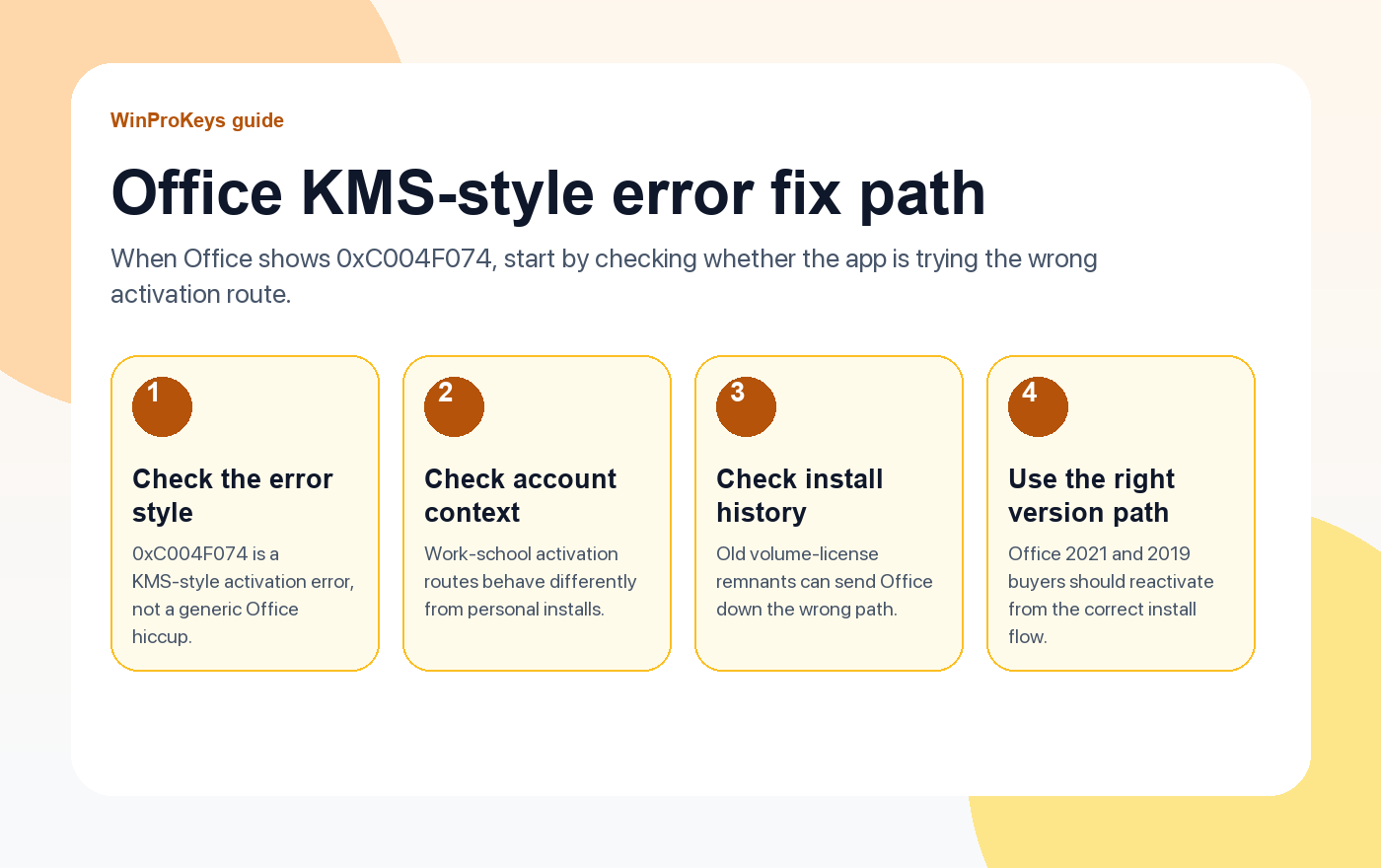
If Office shows error 0xC004F074, the useful clue is in the style of the error. 0xC004F074 is a KMS-style activation error. In practice, that usually means Office is trying to reach an organization activation server or follow a volume-license path that does not match the install in front of you.
Office checks
Use these pages when Office throws 0xC004F074
This error usually means Office is following the wrong activation path, not that every Office install is broken in the same way.
- Office 2021 Professional PlusA current one-time Office option when you need the newer perpetual release.
- Office 2019 Professional PlusUseful if you need the older release for compatibility.
- Office 2021 vs 2024Helpful when you are comparing the main perpetual Office versions.
- Office product pagesUse the current Office pages as the source of truth for the versions you actually want.
Why this error confuses people
Most home and small-business buyers are not thinking in terms of KMS, volume licensing, or organization activation servers. They just see Office fail and assume every activation path is the same. It is not. This error often appears because the installation channel and the intended ownership path do not line up.
What commonly causes it
- Wrong activation channel. Office is installed in a way that expects an organization activation server.
- Old licensing remnants. A previous Office install or older volume-license traces are still influencing the current install.
- Mixed account context. A work-school Office route is interfering with a personal one-time setup.
The cleanest fix order
- Confirm which Office version you actually intend to use.
- Check whether the device is signed into a work or school activation context.
- If the install history is messy, remove the conflicting Office installation path before trying again.
- Reinstall or reactivate using the correct version path for the Office edition you actually want.
| Situation | Best next step |
|---|---|
| Personal one-time Office install, but the error mentions organization activation server | Check for the wrong activation channel or leftover volume-license setup |
| Old Office versions have been installed on this machine before | Clean up the install history before trying again |
| You actually need a specific one-time release | Use the correct current path for Office 2021 oder Office 2019 |
Frequently Asked Questions
Does 0xC004F074 always mean the key is bad?
No. It often means Office is trying the wrong activation route.
What clue matters most in this error?
The reference to an organization activation server or a KMS-style path.
Should I reinstall immediately?
First confirm the version and account context. Reinstall after that if the install history clearly looks wrong.
Which Office version should I compare first?
Start with the one-time versions you actually care about, usually Office 2021 and Office 2019.
Source and Support Links
Use Microsoft Support pages for general product behavior and activation rules. Use WinProKeys pages for store delivery, order support, and reseller-specific guidance.
Frequently Asked Questions
What should I check first for Fix Office Activation Error 0xC004F074?
Check the exact Office version, installed app version, Microsoft account route, and order email. Many problems come from using the wrong installer for the key.
Is WinProKeys an Microsoft website?
No. WinProKeys is an independent software key reseller, not Microsoft. Microsoft Support pages are the primary source for Office activation behavior.
What should I send support if Office activation fails?
Send the order email, Office version installed, Windows version, exact error message, screenshot, and the Microsoft account email used during setup if applicable.
Need the live product pages?
If you have finished the guide and need the current Windows or Office pages, use the shop as the source of truth for pricing, delivery details, and activation help.
Open the shopStill need the right Windows edition?
If the error points to an edition mismatch or a license that cannot be recovered, compare the current Windows routes instead of guessing with another random key.
Use the live product pages for current pricing, delivery details, and activation help.

