



Last Updated: 6 月 1, 2026
Short Answer
For most compatible PCs in 2026, Windows 11 is the better long-term choice because Windows 10 standard support ended on October 14, 2025. Windows 10 may still make sense for older hardware or specific legacy software, but buyers should treat it as a compatibility choice.
- Use Windows 11 for new compatible PCs.
- Use Windows 10 only when hardware or software requires it.
- Keep Home/Pro edition match during installation and activation.
Windows 10 vs Windows 11 Full Comparison Checklist for 2026
Use this checklist when a simple feature list is not enough. The right Windows 10 vs Windows 11 decision depends on support status, Windows 11 hardware eligibility, upgrade method, interface fit, app and driver blockers, Home vs Pro needs, activation wording, and private support evidence.
| Comparison point | What to verify | Best next route |
|---|---|---|
| Support and security baseline | Windows 10 Home and Pro standard support ended on October 14, 2025. Treat Windows 10 as a temporary compatibility bridge unless ESU or a managed support plan is deliberate. | Use Microsoft Windows 10 lifecycle status, Microsoft Windows 10 end-of-support guidance, Windows 10 end-of-life options, and Windows 10 upgrade-now guide. |
| Windows 11 hardware eligibility | Windows 11 fit starts with a compatible 64-bit CPU, TPM 2.0, Secure Boot capability, RAM, storage, graphics, firmware, and driver readiness. | Use Microsoft Windows 11 specifications, Microsoft Windows 11 installation methods, the Windows 11 hardware checklist, and the 2026 free-upgrade eligibility guide. |
| Upgrade method and license boundary | Windows Update, Installation Assistant, and installation media are not the same path. Free upgrade usually means eligible same-edition Windows 10 to Windows 11, not a free Home-to-Pro move or a new-device license. | Use Microsoft Windows 11 download page, the free vs paid upgrade methods guide, and the Windows 10 key on Windows 11 guide. |
| Interface and workflow fit | Compare Start menu behavior, taskbar flow, Settings layout, Snap Layouts, window management, search, widgets, and daily app muscle memory before assuming the newer interface is automatically better for every user. | Use the Windows 10 vs Windows 11 upgrade decision guide and Windows 11 vs Windows 10 visual comparison. |
| Apps, drivers, and rollback risk | Legacy drivers, peripherals, old business software, specialized tools, and repair constraints can justify a short Windows 10 bridge. Document the blocker before downgrading or delaying. | Use the Windows 11 to Windows 10 downgrade guide only when compatibility, not habit, is the real reason. |
| Home vs Pro edition decision | Windows 10 vs Windows 11 is separate from Home vs Pro. Choose Pro only when BitLocker management, Remote Desktop host access, Hyper-V, domain/work management, Group Policy, or a developer/VM workflow is real. | Use Microsoft Windows 11 Home vs Pro comparison, the Windows 11 Home vs Pro guide, Windows 10 Pro vs Home guide, and the Windows edition comparison tool. |
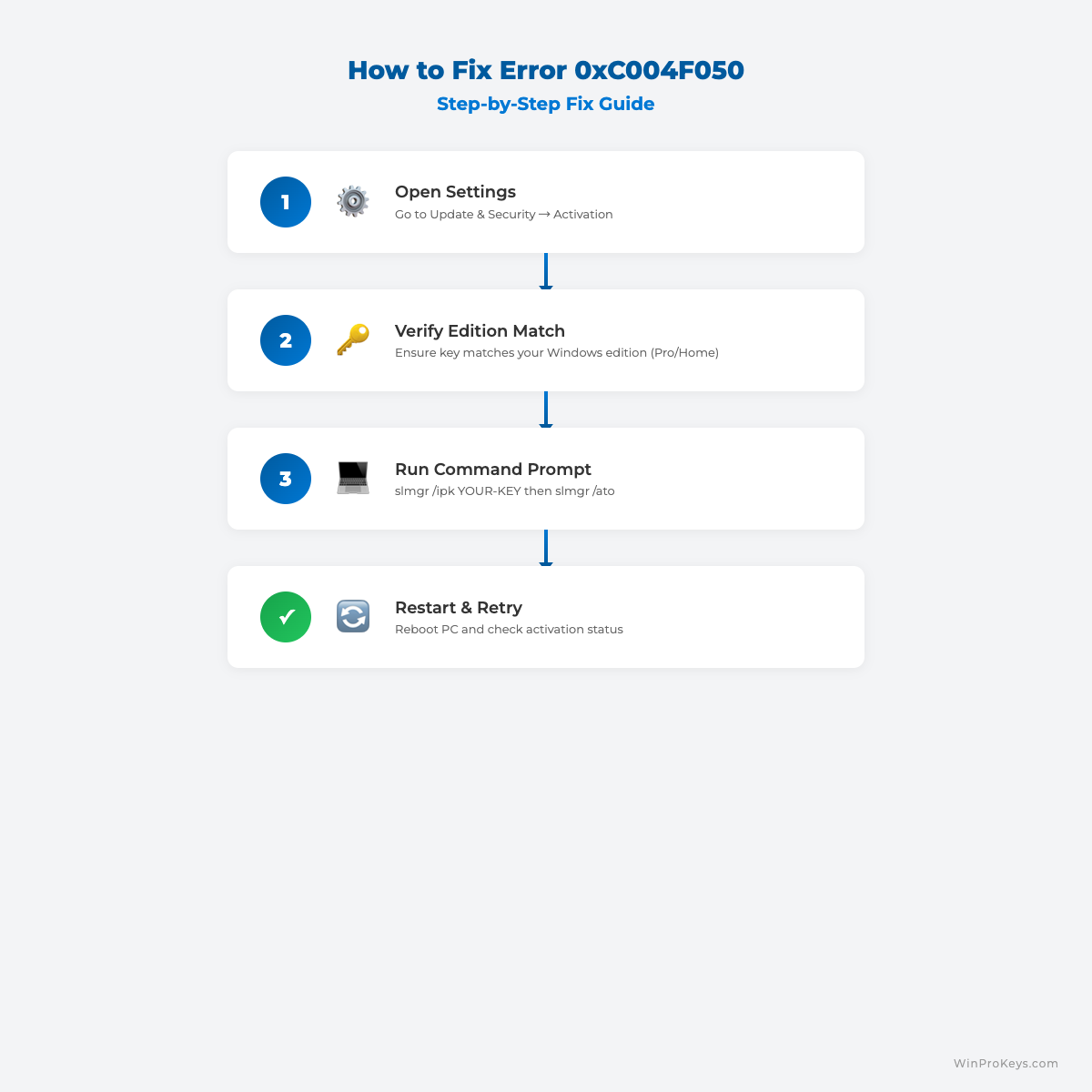
| Activation and exact error routing | After upgrading, separate digital license wording, typed product-key entry, same-edition activation, Home-to-Pro edition change, 0x803F7001, 0xC004F050, and no-valid-license messages before retrying. | Use Microsoft activation context, Microsoft product-key context, Microsoft activation-error context, the digital license vs product key guide, Windows 11 Pro activation tutorial, Windows 10 Pro activation guide, Windows activation error-code hub, 0x803F7001 guide, and 0xC004F050 guide. |
| Buyer path and private support evidence | If the comparison leads to buying or changing a license, review delivery, after-sales terms, edition fit, and support evidence privately. Do not post full keys, order references, Microsoft account identifiers, payment details, or private screenshots in public comments. | Use the Windows key hub, after-purchase Windows key checklist, private support evidence checklist, replacement or refund review explainer, How WinProKeys works, delivery policy, after-sales policy, and contact WinProKeys support. |
WinProKeys is an independent software-key reseller, not Microsoft. Microsoft pages are source context for lifecycle status, Windows 11 requirements, installation methods, downloads, edition comparison, activation, product-key lookup, and activation-error wording; WinProKeys pages explain edition fit, upgrade routing, delivery, after-sales, and private support review.
Windows 10 vs Windows 11: Full Comparison for 2026 is a practical guide for users who want a clear answer, not generic advice.
Key Differences
- Pricing model and ownership period.
- Transfer rights and reactivation flexibility.
- Feature depth for home vs business.
- Long-term value over 2-3 years.
Which One Should You Choose?
Choose based on your workload, hardware upgrade frequency, and support expectations instead of only upfront price.
Next support checks: compare Windows 10 lifecycle status, Windows 11 hardware fit, edition needs, activation wording, delivery policy, and private support evidence before choosing a license route.
Best Practices
Always keep your product key archived securely, verify edition compatibility before changing license or edition, and run activation in a stable network environment. For organizations, document deployment records and maintain a simple validation checklist so each installation follows the same standard process. This reduces support tickets and speeds up issue resolution when errors appear.
When you troubleshoot, change only one variable at a time. First verify system date/time, then license edition, then network path, then key input. Structured troubleshooting avoids confusion and prevents unnecessary reinstallations.
FAQ
Can I reactivate after reinstalling?
Usually yes on same hardware and same edition.
Do I need internet?
In most cases, yes.
How long does it take?
Timing varies by device, network, Microsoft activation state, installed edition, and whether the upgrade changed hardware or edition.
What if activation still fails?
Use private support with the exact visible error wording, installed edition, device context, and order reference. Do not post full keys, order references, Microsoft account identifiers, payment details, or private screenshots publicly.
Next Support Checks
If this comparison leads to a license decision, check edition fit, activation route, delivery expectations, and private support evidence before buying or entering another key.
- Windows key hub
- After-purchase Windows key checklist
- Private support evidence checklist
- Delivery policy
- 售后政策
Visual Fix Guide
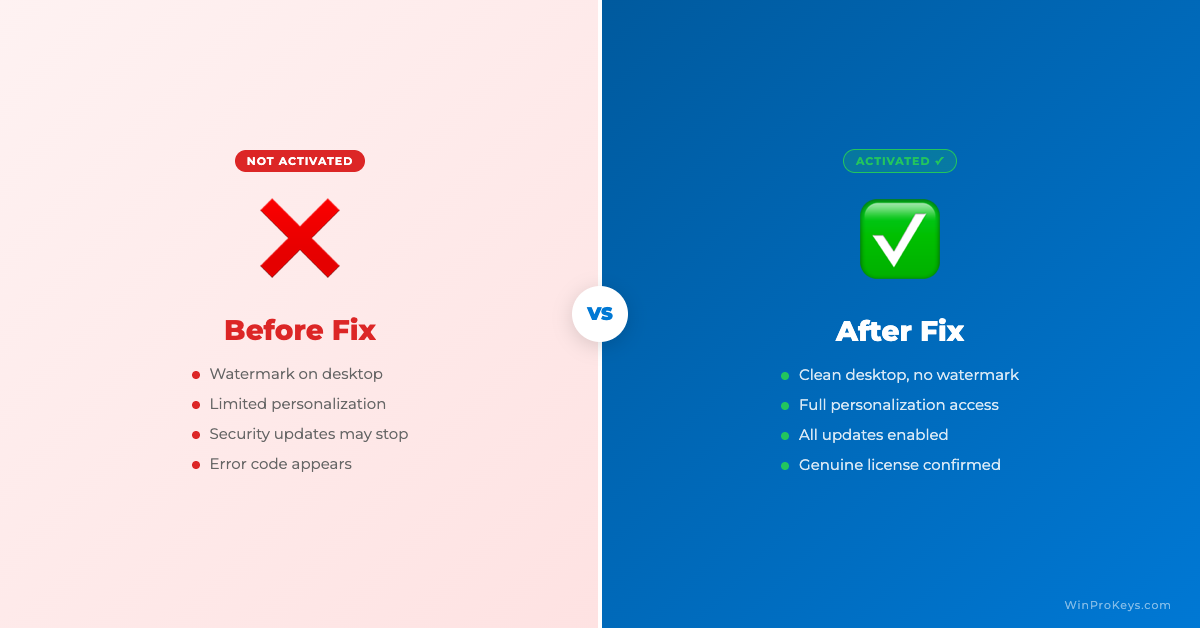
Before vs After Activation
Source and Support Links
Use Microsoft and Windows pages as source context for Windows 10 lifecycle status, Windows 11 requirements, installation, activation, product-key lookup, and activation-error wording. Use WinProKeys pages for store delivery, order support, and reseller-specific guidance.
Frequently Asked Questions
Is Windows 10 still supported?
Windows 10 standard support ended on October 14, 2025, so buyers should review current Microsoft lifecycle and security options.
Is Windows 11 always better?
Not always. Older hardware or legacy apps can still justify Windows 10, but Windows 11 is usually better for a new compatible PC.
Can Windows 10 Pro upgrade to Windows 11 Pro?
Usually yes if the PC meets Windows 11 requirements and the edition path stays Pro.
Need the live product pages?
If you have finished the guide and need the current Windows or Office pages, use the shop as the source of truth for pricing, delivery details, and activation help.
Open the shopUse the next step that matches your setup
Stay with the Windows and Office routes we actively maintain most. Choose the guide, troubleshooting path, or hub that answers the next real question instead of jumping into an unrelated product page.
Use the live guide or product page as the source of truth for delivery, redemption, and post-sale support details.

