


Last Updated: junio 1, 2026
Short Answer
The safest practical check is whether Windows activates normally through Microsoft activation systems for the correct edition. Avoid third-party key-checker tools, keep your order record, and use the exact Windows error code for troubleshooting.
- Check the exact product version and edition before buying or activating.
- Use Microsoft Support pages for Windows activation and product-key source context.
- Use WinProKeys support for order, delivery, setup, and common troubleshooting context.
Windows Product Key Genuine-Check Checklist
Use this checklist to separate three different questions: whether Windows currently activates, whether the installed edition and key type fit, and whether the seller gives enough source, delivery, support, and private-review evidence to trust the purchase path.
| Genuine-check step | What it can and cannot prove | Best next route |
|---|---|---|
| Start with the current Windows activation screen | Check whether Windows says it is activated with a digital license, activated with a product key, not activated, or blocked by an edition/error state. This confirms the current device state, not every seller claim. | Use Microsoft activation context, the digital license vs product key guide, and the Windows activation decision tree. |
| Confirm edition fit before judging the key | A valid-looking key can still fail when Home, Pro, Enterprise, Education, OEM, Retail, Volume, or digital-license states are mixed up. Match the installed edition before buying another key. | Use Microsoft product-key context, the Windows product key types guide, Windows product key FAQ, and the Home key vs Pro key mismatch guide. |
| Read built-in licensing output cautiously | Use slmgr /dli, slmgr /dlv, or slmgr /xpr only as local status clues. Retail, OEM, and Volume/KMS wording describe a channel or management path; they do not prove seller legitimacy by themselves. | Use the key-type explanation, activation error-code hub, and Microsoft activation-error context. |
| Review the seller and source before paying | There is no public Microsoft page that safely pre-validates an unused key for a random buyer. Check seller identity, source wording, delivery terms, support route, and after-sales review terms before checkout. | Use the pre-buy Windows product-key checklist, Windows product-key buyer guide, Windows 11 Pro online buying checklist, safe Windows key seller checklist, and cheap Windows 11 Pro source guide. |
| Route exact failures instead of posting private evidence | If Windows shows blocked, already-used, no valid digital license, edition mismatch, or another exact error, keep full keys, order emails, Microsoft account emails, payment details, and screenshots out of public comments. | Use 0x803F7001 routing, 0xC004C003 routing, the private support evidence checklist, replacement or refund review explainer, and contact WinProKeys support. |
| Keep WinProKeys claims separate from Microsoft source context | WinProKeys is an independent software-key reseller. Microsoft pages explain Windows activation and product-key behavior; WinProKeys pages explain delivery, support routing, and private order-specific review. | Use How WinProKeys works, the delivery policy, and the after-sales policy. |
Do not use third-party key-checker tools or public comment threads to test private order data. The safer route is built-in Windows activation context first, then seller and support evidence if the exact message still looks wrong.
Check these too
Open these pages if you are still unsure whether the key path is clean
A genuine-key check is not just one command. These related pages help you judge the key type, seller, and next step if activation fails.
- Windows product key types explainedUse this when the channel label is the confusing part.
- Is it safe to buy cheap Windows keys online?Helpful before you buy from a marketplace or unknown seller.
- Fix error 0xC004C003Open this when Windows says the key is invalid or already used.
- Browse the live Windows pagesUse the current product pages only after you confirm you need a replacement.
You do not need a magic validator to judge most Windows keys. Windows already gives you the main checks. The better job is knowing which screens and commands matter, and which seller behaviors should make you walk away.
Start with Windows Activation
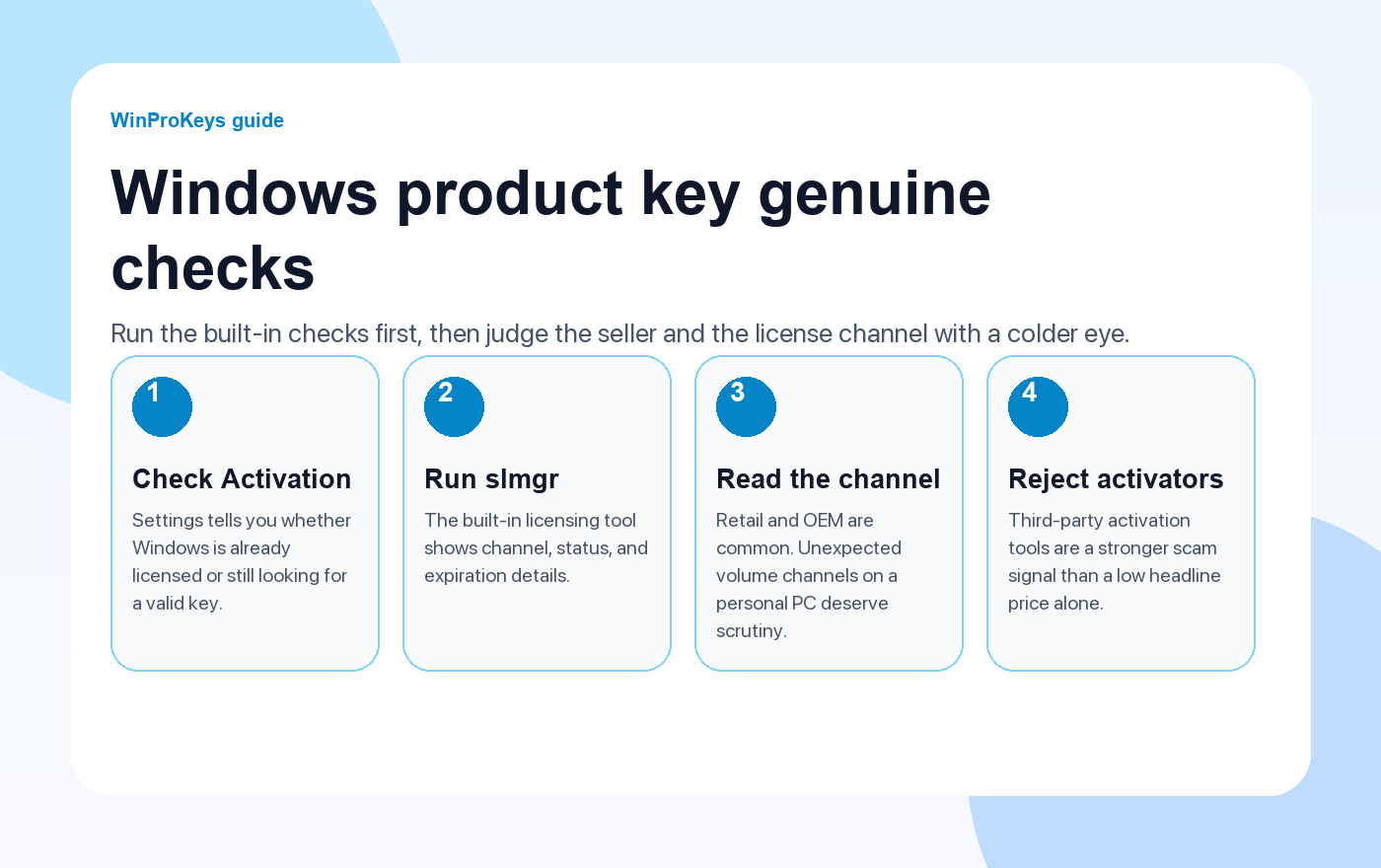
Open Settings > System > Activation. That page tells you whether Windows is already licensed, linked to a digital license, or still waiting for a valid key. It is the fastest first pass because it shows whether Microsoft has accepted the current activation state.
If Windows says it is activated, that confirms the current device accepted an activation path; it does not prove every seller claim or future transfer right. If Windows says the system is not activated or the edition does not match, route the exact wording before trying another key.
Run the built-in licensing commands
The slmgr tool is already part of Windows. You do not need any third-party software.
slmgr /dli
slmgr /dlv
slmgr /xpr- /dli shows the short license summary and channel.
- /dlv gives the fuller details when you need more context.
- /xpr shows the current expiration status when Windows exposes one.
Read the license channel, not just the activation state
The channel tells you what kind of license path Windows thinks it is using.
- Retail is the normal individually purchased path.
- OEM is common on manufacturer or one-machine installs.
- Volume channels belong in managed organization setups, not as a surprise on a personal PC.
If you see an unexpected volume channel on a personal machine, slow down and investigate. That does not automatically prove fraud, but it does mean the key path deserves more scrutiny.
Red flags before you buy
You cannot fully pre-validate an unused key through a public Microsoft page, so the seller check matters.
- Implausibly low pricing: If the listing makes no licensing sense, treat that as risk, not as a win.
- Vague license wording: A serious seller explains whether the key is OEM, retail, or another path.
- No after-sales or review policy: Avoid sellers that do not explain delivery, activation support, replacement review, or refund review terms.
- Unofficial activation tools: If the seller tells you to run a third-party activator, leave immediately.
If the key is not clean
If Windows rejects the key or the channel looks wrong, do not pile more hacks on top. Stop using unofficial activators, keep a record of the seller conversation, and move through the clean support path. Activation errors such as 0x803F7001 and 0xC004C003 already have clearer fixes than most random forum threads.
If you do need a replacement review, first confirm the installed edition and exact activation message, then use the pre-buy Windows product-key checklist, key-types guide, and replacement or refund review explainer.
Frequently Asked Questions
Can Microsoft tell if a product key is invalid?
Yes. The activation result comes from Microsoft’s own licensing systems.
Can I fully verify an unused key online before buying it?
No. The practical defense is checking the seller, the license type, and the activation result after purchase.
What license channel is a red flag on a personal PC?
An unexpected volume channel deserves scrutiny if you are not on a managed company machine.
What is a stronger scam signal than a low headline price?
A seller asking you to use unofficial activation tools is a stronger warning sign.
What should I do if the key turns out to be blocked or fake?
Stop using unofficial activators, document the exact Windows wording, contact the seller through private support, and use any replacement or refund review path only after edition, activation, and order evidence are checked.
Related guides
These are the most useful follow-up pages once you finish the built-in checks.
- Complete guide to buying Windows product keysA practical buyer guide if you need to replace the current key.
- Is an OEM key legal?Helpful when the seller says the lower-cost route is OEM.
- Windows activation error hubOpen this when the symptom is an activation code rather than seller doubt.
- Browse live Windows pagesUse the current Windows pages after you confirm a clean replacement is needed.
Source and Support Links
Use Microsoft Support pages for Windows activation and product-key source context. Use WinProKeys pages for store delivery, order support, and reseller-specific guidance.
Frequently Asked Questions
What is the first thing to check for How to Check If Your Windows Product Key Is Genuine?
Check the installed Windows edition first. A Home key and a Pro key are not interchangeable, and many activation problems begin with edition mismatch.
Is WinProKeys operated by Microsoft?
No. WinProKeys is an independent software-key reseller and is not operated by Microsoft. Microsoft Support pages are the primary source for Windows activation behavior.
What should I send support if Windows activation fails?
Send the order email, installed Windows edition, exact error code, screenshot, and whether this is a new PC, reinstall, Home-to-Pro upgrade, or hardware change.
Need the live product pages?
If you have finished the guide and need the current Windows or Office pages, use the shop as the source of truth for pricing, delivery details, and activation help.
Open the shopUse the next step that matches your setup
Stay with the Windows and Office routes we actively maintain most. Choose the guide, troubleshooting path, or hub that answers the next real question instead of jumping into an unrelated product page.
Use the live guide or product page as the source of truth for delivery, redemption, and post-sale support details.

