



Last Updated: juin 2, 2026
Cheap Windows Keys Online Safety Checklist
Cheap Windows keys are not automatically safe or unsafe. Treat the purchase as a risk check: edition fit, key type, seller evidence, delivery terms, activation route, and private support path all matter before price.
| Safety check | Why it matters | Best next route |
|---|---|---|
| Do not judge safety from price alone | A low price is only one signal. First check whether the seller explains the Windows edition, key type, delivery route, support path, and what happens if activation shows an exact error. | Start with the Windows product-key buyer guide, Windows 11 Pro online buying checklist, and safe Windows key seller checklist. |
| Confirm edition and upgrade fit | Cheap becomes risky when the buyer chooses Pro for a Home-only device, enters a Pro key on Home without an edition upgrade, or ignores a pre-existing digital license. | Use the Windows 11 Home vs Pro decision guide, Home key vs Pro key mismatch guide, and Microsoft Home-to-Pro upgrade context. |
| Separate product key, OEM, Volume/KMS, and digital license | A typed product key, OEM-style key, Volume/KMS listing, regional listing, and digital-license recovery path are different risk profiles. Treat vague sourcing as a reason to slow down. | Use Microsoft product-key context, the Windows product key types guide, digital license vs product key guide, OEM key legality guide, and Windows product key FAQ. |
| Check seller evidence before payment | A safer seller explains the exact product scope, delivery expectation, after-sales review terms, and private support route. Avoid pages that rely on official-sounding claims without support details. | Compare the Windows 11 Pro seller guide, cheap Windows 11 Pro source guide, Windows product-key genuine-check guide, How WinProKeys works, delivery policy, and after-sales policy. |
| Plan activation and error-code routing | If activation fails, the next step depends on the exact wording, installed edition, digital-license state, and device history. Do not assume every failure means the key itself is bad. | Use Microsoft activation context, Microsoft activation-error context, the Windows activation error-code hub, Windows product-key after-purchase setup checklist, and private support evidence checklist. |
| Keep support evidence private | Never post key values, private order context, account identifiers, payment-specific records, or private files in public comments. Use private support only after the edition and error path are clear. | Use the replacement or refund review explainer, contact WinProKeys support, and Windows key hub after the safety checks are complete. |
WinProKeys is an independent software-key reseller, not Microsoft. Microsoft pages are source context for Windows activation and product-key behavior; WinProKeys pages explain delivery, support routing, buyer fit, and private order-specific review.
Short Answer
Cheap Windows keys are not automatically risky, but price alone tells you nothing about whether the seller is clear, the edition is correct, or support will exist if activation goes wrong. A safer purchase checks the exact Windows edition, the delivery method, the after-sales review path, and whether the store gives practical setup help instead of vague claims.
- Check the exact edition you need before you compare prices.
- Avoid sellers that rely on unclear sourcing or unofficial activation bypass advice.
- Keep the private order reference, exact activation wording, and device context for private support; do not post key values, account identifiers, payment-specific records, or private files publicly.
You’ve seen them everywhere — low-priced Windows 11 Pro keys on Reddit threads, eBay listings, obscure websites, and Telegram channels promising more than they explain. Microsoft is still the highest-priced route for most buyers, so the gap naturally raises the question: are these cheap keys legitimate, and is it safe to buy them?
The honest answer is: it depends. Some discounted keys come from clearer channels than others, but the buyer still needs to verify edition fit, key type, delivery terms, and support route. Others will work for a week and then get revoked. And a few are outright scams that deliver nothing at all. The trick is knowing how to tell the difference — and understanding what you’re actually buying when the price seems too good to be true.
Use this next
Open these guides before you choose a Windows key
Most readers do not need more product hype. They need a clear path for edition choice, license type, and a trustworthy seller.
- Windows 11 Home vs ProStart here if you still have not decided which edition fits the machine.
- Is an OEM key legal?Useful when a lower-cost listing mentions OEM but does not explain the trade-off.
- Is it safe to buy cheap Windows keys online?A practical trust check before checkout.
- Browse the live Windows key pagesUse the Windows hub, buyer guides, delivery policy, and after-sales policy to understand the route before checkout.
Why Are Some Windows Keys So Cheap?
To understand the pricing, you need to know where these keys come from. There are several legitimate (and semi-legitimate) reasons a key might cost far less than Microsoft’s retail price:
Volume or organization-managed listings. Treat Volume, KMS, or enterprise-style listings as higher-risk for personal PCs unless the seller clearly explains the activation route and support boundary. Microsoft activation and licensing context should be checked before treating these as normal consumer keys.
Regional or marketplace sourcing. Regional listings can be hard for buyers to verify from price alone. Check whether the seller explains region, edition, delivery, activation support, and after-sales review terms instead of relying on a generic low-price claim.
OEM-style keys sold separately. OEM-style listings need extra scrutiny because the expected hardware relationship and transfer path may differ from a normal retail-style purchase. Check the seller explanation, device plan, and support route before treating price as the main deciding factor.
MSDN and developer program keys. Microsoft gives developers access to Windows keys through programs like Visual Studio subscriptions (formerly MSDN). These keys are strictly for development and testing, not resale. Sellers who dump MSDN keys are violating their agreement, and Microsoft can revoke these keys when detected.
Stolen or generated keys. At the bottom of the barrel, some keys are simply stolen from breached databases, generated by keygens, or harvested from compromised volume license servers. These are illegal, period, and they get blacklisted quickly.
The Risk Spectrum: From Safe to Scam
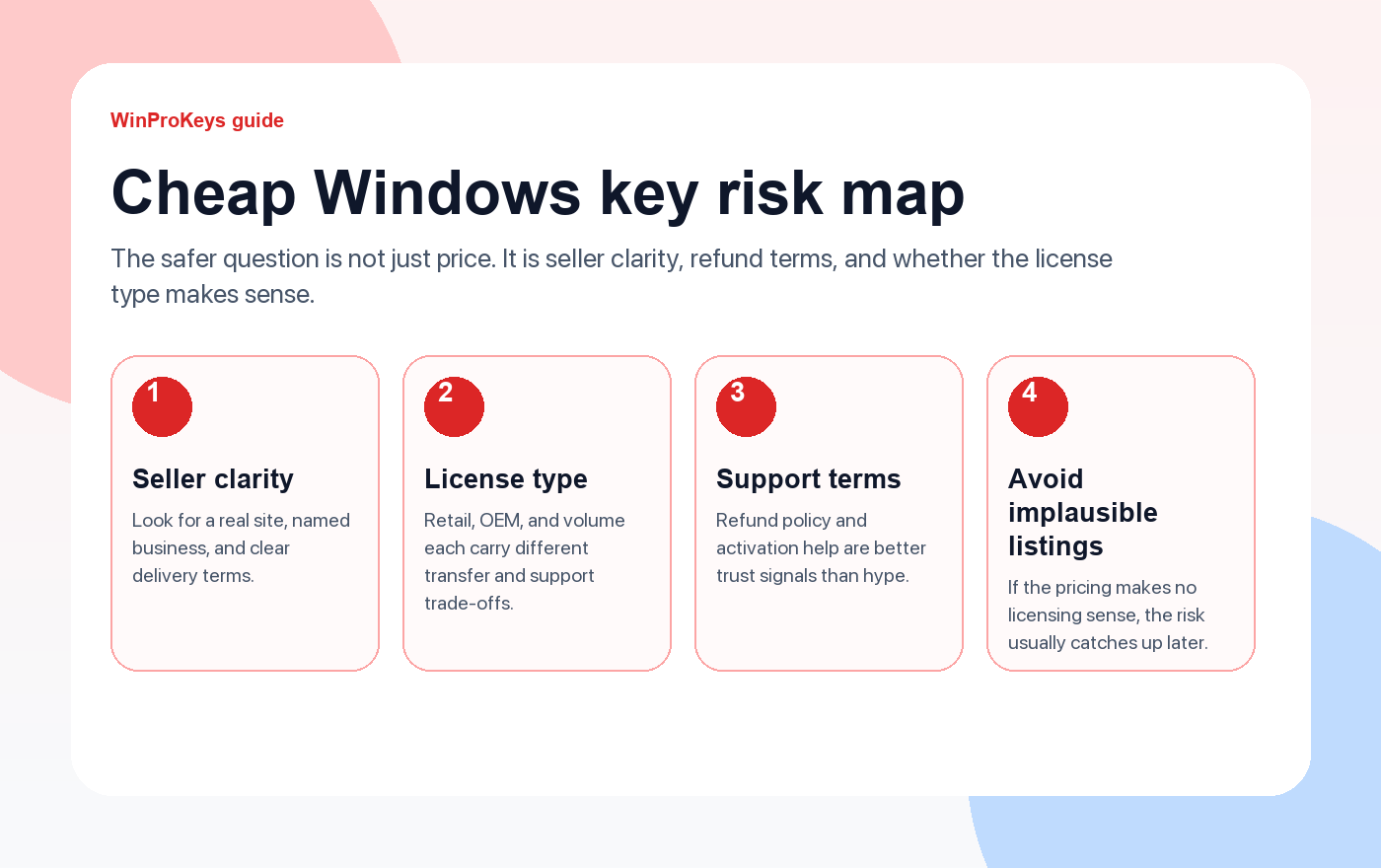
Lower risk: Established sellers with clear support terms. These are usually businesses with real websites, visible refund policies, and enough reputation to lose if they burn buyers. They still need to be checked, but they are the cleanest place to start.
Medium risk: Marketplace listings with mixed seller quality. Some of these keys work fine, but the long-term risk is harder to judge because sellers can disappear or change accounts quickly. Buyer-protected payment methods matter much more here.
High risk: Listings priced so low they make no licensing sense. Once the economics stop making sense, the odds go up that the key is recycled, unsupported, or sourced through a channel that will not age well. That is where most avoidable problems start.
What Happens If a Key Gets Revoked?
This is the fear that keeps people up at night, so let’s demystify it. If Microsoft revokes your key:
- You won’t lose your data. Windows doesn’t delete files or lock you out of your computer. Your documents, programs, and settings remain intact.
- You’ll see the “Activate Windows” watermark in the bottom-right corner of your screen. It’s annoying but not catastrophic.
- Personalization features get locked. You can’t change your wallpaper, colors, or lock screen through Settings. (You can still change wallpaper by right-clicking an image file, but the Settings UI is disabled.)
- Functionality can vary by activation state and policy context. Do not rely on public advice that promises a harmless outcome. If Windows is deactivated or shows an exact code, route by the error wording and Microsoft activation context.
So the worst case isn’t a bricked computer — it’s an annoying watermark and the need to buy another key. That said, buying twice because the first key got revoked means you didn’t actually save money. Buying once from a reliable source is cheaper in the long run.
How to Buy Safely: A Practical Checklist
If you’ve decided to buy a discounted key (and millions of people do, every year), here’s how to minimize risk:
1. Check the seller’s reputation. Look for an established website with a real domain (not a free subdomain), contact information, and a history of positive reviews. Search “[seller name] reviews” and “[seller name] scam” before buying. If the only results are the seller’s own website, that’s a yellow flag.
2. Look for visible after-sales review terms. A safer seller explains what support can review, what evidence should stay private, and where the delivery and after-sales policy lives. Treat vague or automatic-outcome promises as a reason to slow down.
3. Pay with buyer-protected methods. Credit cards and PayPal both offer dispute resolution. If a key doesn’t work and the seller ghosts you, you can file a chargeback. Avoid paying with cryptocurrency, gift cards, or wire transfers — these are irreversible by design.
4. Verify the key type before buying. A good seller will clearly state whether the key is retail, OEM, or another type. Retail keys are transferable and the safest long-term investment. OEM keys are cheaper but hardware-locked. If the listing doesn’t specify, ask — and if they can’t answer, don’t buy.
5. Avoid keys that require “special activation tools.” A legitimate Windows key activates through Settings or the slmgr command. If a seller tells you to download a third-party activator, run a batch script, or disable Windows Defender first, you are not buying a key — you are buying a problem.
6. Test and document the exact wording privately. Try the normal activation path soon after delivery. If it does not work, keep the exact error wording, installed edition, and order reference for private support review instead of posting sensitive details publicly.
Our Honest Take
WinProKeys is an independent software-key reseller, so our advice is intentionally practical: a discounted key purchase is safer when the edition, key type, delivery path, after-sales terms, and private support route are clear before checkout.
For Windows buyers, the strongest trust signal is not a slogan. It is whether the seller explains product scope, activation route, delivery expectation, and what support can privately review if Windows shows an exact activation message.
Use the Windows hub and buyer guides for product-fit context, then use delivery, after-sales, and support pages for order-specific questions. Keep key values, account identifiers, payment-specific records, and private files out of public comments.
The Bottom Line
Buying cheap Windows keys online isn’t inherently unsafe — but it requires the same common sense you’d apply to any online purchase. Stick to sellers with established reputations and clear guarantees, pay with protected methods, avoid listings that are implausibly cheap, and test your key immediately after purchase.
The safer route is a seller with clear license information, visible delivery terms, an after-sales review path, and enough support context to route activation errors without exposing private data. If those pieces are missing, keep comparing guides before you buy.
Use the Windows key hub, delivery policy, after-sales policy, and How WinProKeys works page as public context before any order-specific support review.
Source and Support Links
Use Microsoft Support pages as source context for Windows activation and product-key behavior. Use WinProKeys pages for delivery, setup, after-sales review, and reseller-specific support context.
Frequently Asked Questions
What is the biggest risk with very cheap Windows keys?
The biggest risk is not the low price itself. It is buying the wrong edition, getting weak support, or dealing with a seller who is unclear about delivery and troubleshooting when something goes wrong.
What should I do right after buying a Windows key online?
Check the private order reference, confirm the exact edition, save delivery details privately, and compare the key route with the installed Windows version before you try activation.
Is WinProKeys operated by Microsoft?
No. WinProKeys is an independent software-key reseller and is not operated by Microsoft. Use Microsoft Support pages as activation and product-key source context, and use WinProKeys for delivery, after-sales, and reseller-specific support.
Need the live product pages?
If you have finished the guide and need the current Windows or Office pages, use the shop as the source of truth for pricing, delivery details, and activation help.
Open the shopUse the next step that matches your setup
Stay with the Windows and Office routes we actively maintain most. Choose the guide, troubleshooting path, or hub that answers the next real question instead of jumping into an unrelated product page.
Use the live guide or product page as the source of truth for delivery, redemption, and post-sale support details.


One thought on “Is It Safe to Buy Cheap Windows Keys Online? What You Need to Know”
Comments are closed.