


Last Updated: 30 May, 2026
Short Answer
The best place to buy an Office 2021 product key is a seller that clearly names the version, explains the installer and activation route, sends delivery by email, and provides a support path if setup fails. WinProKeys is an independent reseller, not Microsoft.
- Check the exact product version and edition before buying or activating.
- Use Microsoft support pages for official activation behavior.
- Use WinProKeys support for order, delivery, setup, and common troubleshooting context.
Need Microsoft Office 2021 Professional Plus but do not want to pay Microsoft retail pricing? That is exactly why many buyers compare perpetual Office sellers before they commit.
Here is what actually matters when you buy an Office 2021 key in 2026.
Use this before you buy
Open the current Office paths before you pay
The useful questions are app coverage, device fit, and what support path exists if activation stalls. These links answer that first.
- Check the live Office 2021 pageUse the current product page for delivery, redemption, and support details.
- Compare Office 2019 if compatibility mattersKeep this route when the 2019 release is the intentional fit.
- Review the install flow firstKeep the setup guide open so redemption is straightforward after purchase.
- Browse the Office hubUse the hub if you still need to compare the current one-time Office paths.
Office 2021 vs Microsoft 365: Which Should You Buy?
Office 2021 vs Microsoft 365: Which Should You Buy?
Before you buy, understand the difference:
| Feature | Office 2021 (One-Time) | Microsoft 365 (Subscription) |
|---|---|---|
| Payment model | Pay once and keep using the suite | Recurring fee that continues as long as you renew |
| Updates | Security updates only | Feature and security updates |
| Apps included | Full desktop apps, depending on edition | Desktop apps plus cloud extras and household flexibility |
| Best fit | Buyers who want a stable one-time license | Buyers who want always-current apps and shared-device value |
Bottom line: If you do not need cloud storage or always-current apps, Office 2021 is usually the cleaner one-time route. If your setup depends on multi-device access or ongoing feature releases, Microsoft 365 may fit better.
What’s Included in Office 2021 Professional Plus
- Microsoft Word — Document creation and editing
- Microsoft Excel — Spreadsheets with advanced formulas and pivot tables
- Microsoft PowerPoint — Professional presentations
- Microsoft Outlook — Email and calendar management
- Microsoft Access — Database management
- Microsoft Publisher — Desktop publishing and marketing materials
All apps are the full desktop versions — not the limited web versions. They work offline and don’t require an internet connection after activation.
How to Activate Office 2021 with a Product Key
- Download Office 2021 from Microsoft’s official website or use the download link provided by your seller
- Install and open any Office app (Word, Excel, etc.)
- When prompted, enter your 25-character product key
- Sign in with a Microsoft account (or create one for free)
- Click Activate — done!
The entire process takes about 10 minutes including download and installation.
How to Choose a Trustworthy Seller
The key reseller market has both legitimate businesses and scammers. Here’s how to tell them apart:
Green Flags ✅
- Clear refund/replacement policy
- Instant digital delivery via email
- Secure payment options (PayPal, credit cards)
- Responsive customer support
- Real customer reviews
Red Flags 🚩
- Listings priced so low they do not match any believable licensing path
- No contact information or support
- Only accepts cryptocurrency
- No refund policy
- Keys delivered days later instead of instantly
What to Check Before You Buy
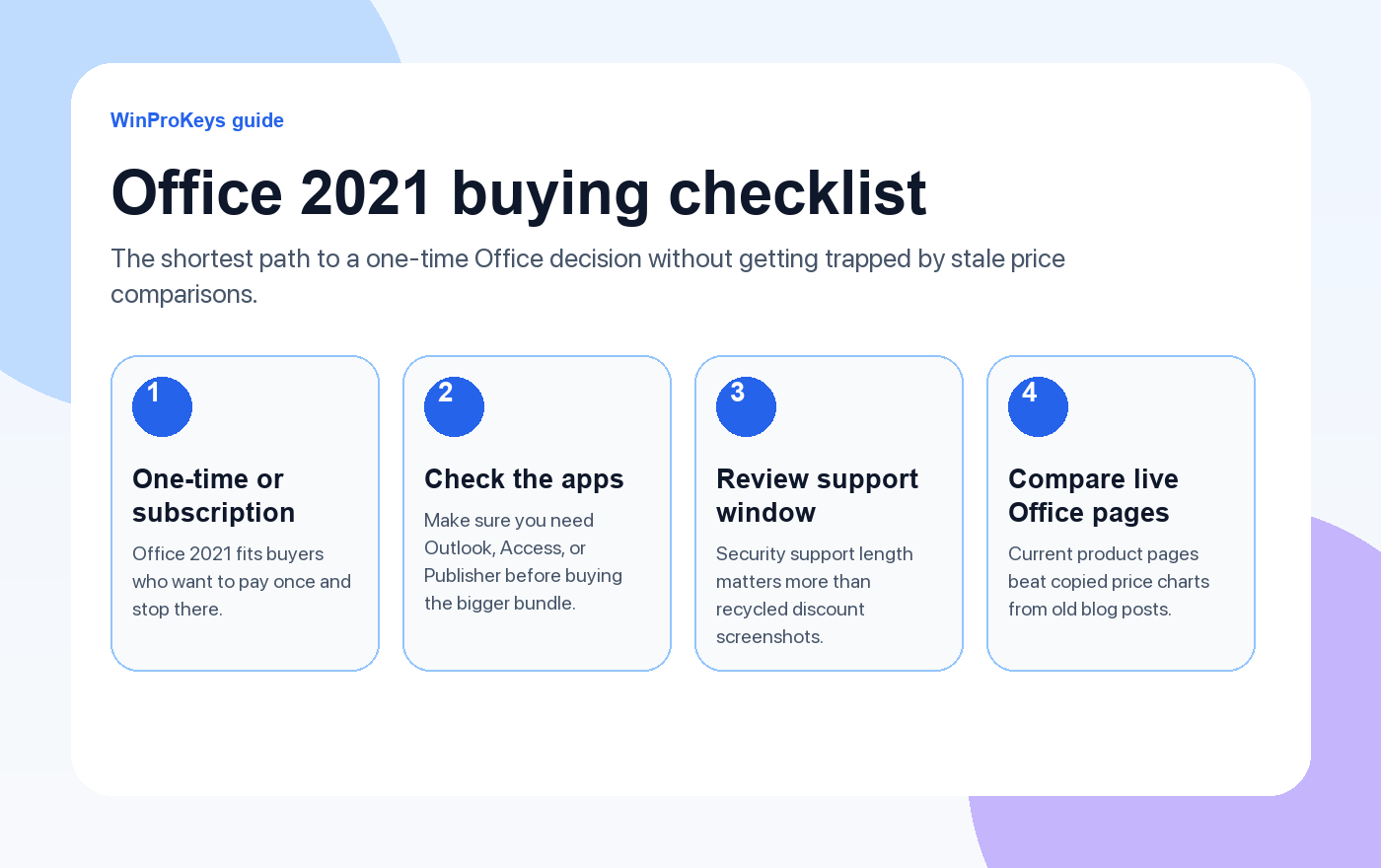
If you are comparing Office 2021 sellers, keep the checklist simple:
- Choose a one-time license only if that is what you actually want long term
- Check whether you need Outlook, Access, or Publisher before you buy the larger suite
- Use a seller with a refund or replacement policy, not just a low headline number
- Keep the Office install guide handy so activation is straightforward after purchase
If you want the current perpetual Office options, start with Office 2021 Professional Plus, Office 2019 Professional Plus, or the Office key hub.
Frequently Asked Questions
Is Office 2021 still supported by Microsoft?
Yes. Microsoft provides security updates for Office 2021 until October 2026. After that, the software continues to work — you just won’t receive new security patches.
Can I install Office 2021 on multiple computers?
A standard product key activates on one PC. If you need multiple installations, you’ll need separate keys for each device.
Does Office 2021 work on Windows 11?
Yes, Office 2021 Professional Plus is fully compatible with Windows 10 and Windows 11.
What’s the difference between Office 2021 and Office 2019?
Office 2021 includes improved collaboration features, better performance, updated UI elements, and new Excel functions like XLOOKUP and dynamic arrays. If you’re buying new, go with 2021.
Choose Your Next Office Step
If Office 2021 fits your app needs and you want a one-time license, compare the live Office 2021 Professional Plus page, the Office 2019 Professional Plus page, and the broader Office key hub before you buy.
Use the Office key hub if you still need a side-by-side view of the current one-time Office paths.
Protected by the published after-sales policy. Instant digital delivery. Learn more about us.
Source and Support Links
Use Microsoft Support pages for general product behavior and activation context. Use WinProKeys pages for store delivery, order support, and reseller-specific guidance.
Frequently Asked Questions
What is the first thing to check for Best Place to Buy Microsoft Office 2021 Product Key?
Check the exact Office version, installer, Microsoft account used during setup, and the order email. Version mismatch is one of the most common causes of Office activation problems.
Is WinProKeys an Microsoft website?
No. WinProKeys is an independent software key reseller, not operated by Microsoft. Microsoft Support pages are the primary source for Office activation behavior.
What should I send support if Office activation fails?
Send the order email, Office version installed, Windows version, exact error message, screenshot, and the Microsoft account email used during setup if applicable.
Need the live product pages?
If you have finished the guide and need the current Windows or Office pages, use the shop as the source of truth for pricing, delivery details, and activation help.
Open the shopChoose the product path that matches your device
These are the six Windows and Office routes we actively support most. Pick by edition fit first, then use the live product page for redemption steps, delivery timing, and post-sale support details.
If you are still deciding, use the Windows hub or Office hub before checkout.

